
Your admin done in one sentence
Friendly8's AI assistant creates invoices, deals and tasks from one prompt.
Why does admin eat your evenings?
You finish the job, then the second shift starts: leads, reminders and invoices to type in. You feel behind before the evening even starts. A late quote or a forgotten follow-up costs you the next job.
What changes with Friendly8
One sentence, real records
Type what you need and the assistant creates the deal, task or invoice itself.
Your evenings back
Say it once, instead of clicking through screen after screen.
You stay in control
Every answer lists what the assistant did, with links, so you can check it right away.
Click Ask AI and say what you need
The Ask AI button sits in the top bar of every screen in Friendly8. Type one sentence, or tap the microphone and say it. Example: "New lead: Lisa van Dijk from Van Dijk Dental wants new wiring. Create a deal and remind me to call her Friday."
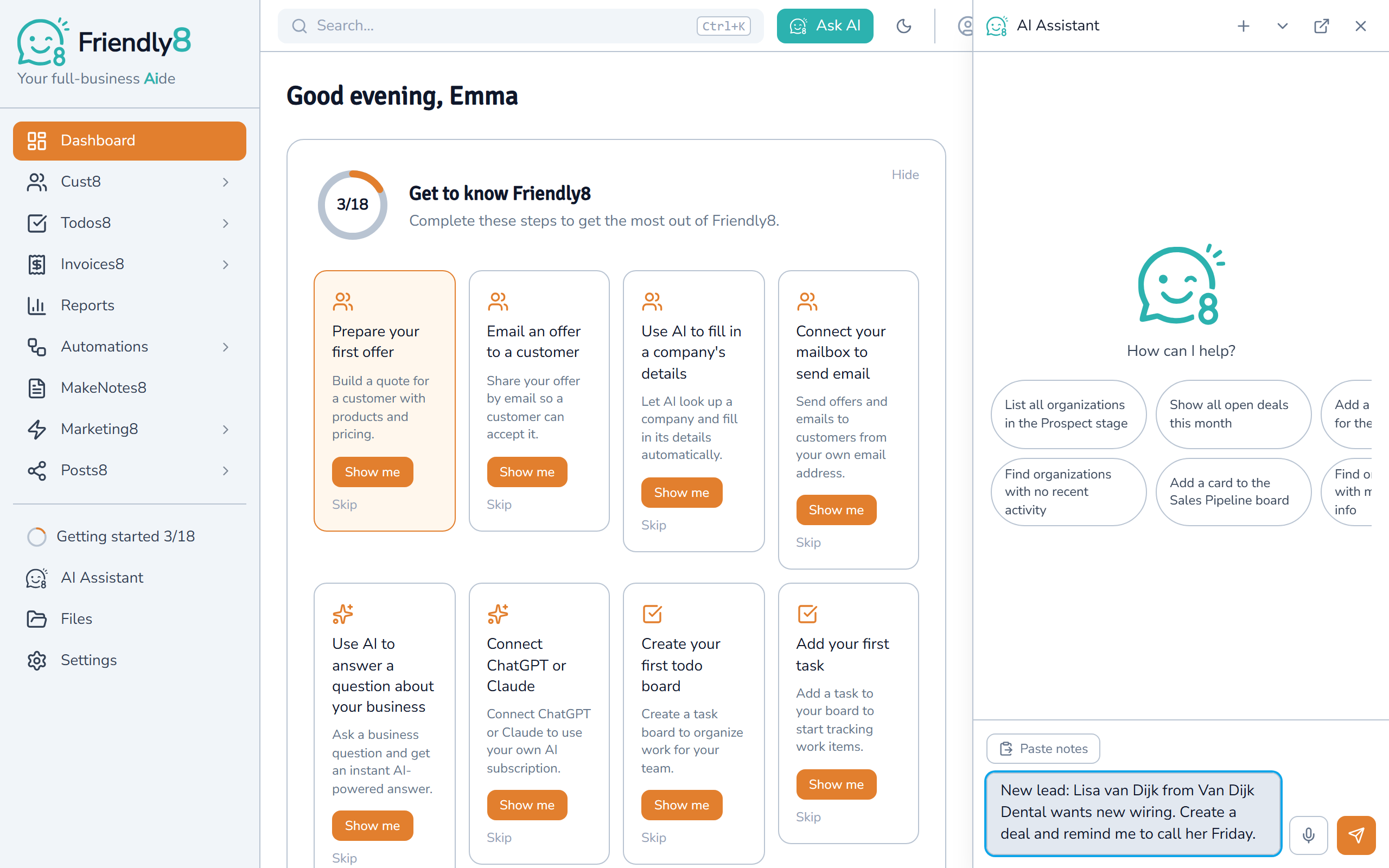
The assistant does the clicking
It creates the deal in your pipeline and puts a reminder to call Lisa on your reminders board. The answer lists what it did, with links to open each one. If two customers have the same name, it asks you which one.
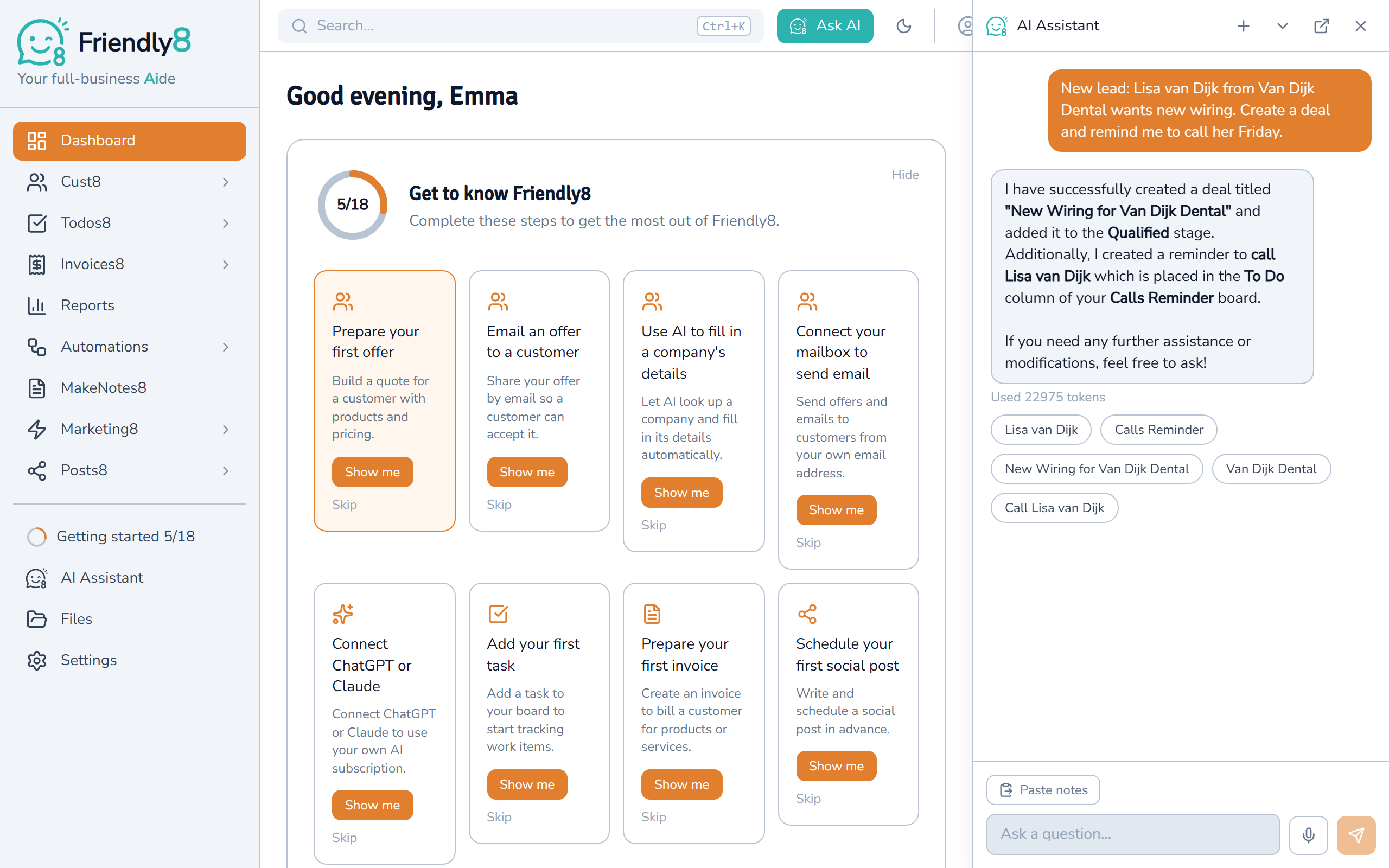
Invoice the job the same way
Type "Invoice Van Dijk Dental €450 for the fuse box replacement." You get a draft invoice with the line already on it. Check it, then click Send by email when you are ready.
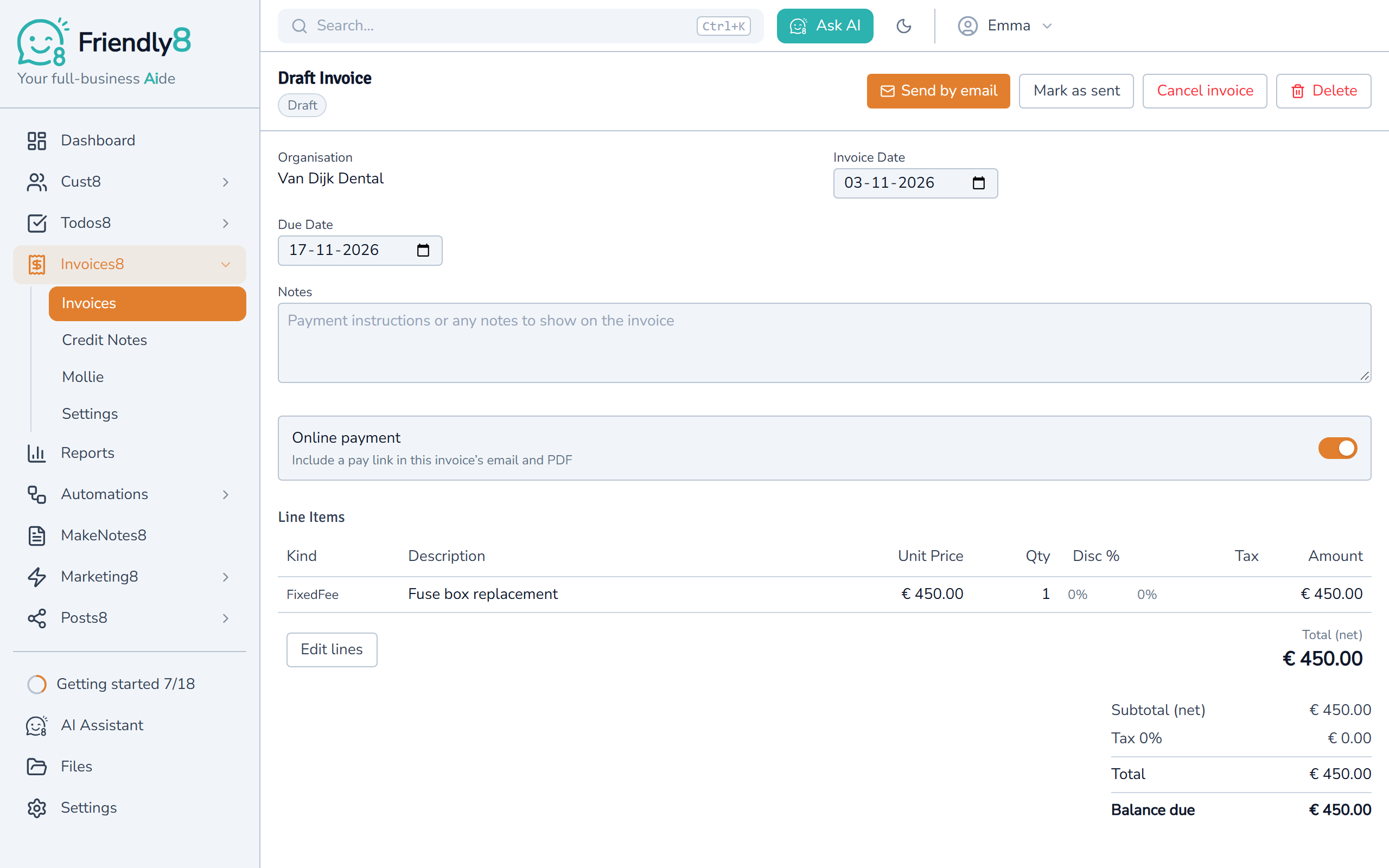
Watch the AI assistant create a deal, a task and an invoice
One sentence per job: see the deal, the task and the invoice appear in Friendly8.

Get started in 3 steps
- Create your free Friendly8 account, no credit card needed.
- Add your first customer, or ask the assistant to add one from their website.
- Click Ask AI and type your first request, like a follow-up for Friday.
Frequently asked questions
Can AI create my invoices and follow-up tasks automatically?
Yes. Friendly8's AI assistant drafts invoices, follow-up reminders, and task lists from a single prompt. For example: "Invoice the Smith job and remind me to follow up Friday." Invoices start as drafts, ready for you to check.
What can the Friendly8 AI assistant do?
It creates and updates deals, tasks, draft invoices, draft quotes, customers, task boards and draft social posts. It can add a customer from just their website. It can also answer questions about your own data, such as "Which deals are still open?"
Do I stay in control of what the AI does?
Yes. Invoices and quotes start as drafts, and every answer lists what the assistant did, with links to check it. Changes to more than 20 records need your confirmation in the app first.
How much AI use is included in each plan?
The free plan includes the AI assistant for your first month. Growth (€19 per user per month) gives about 100 AI actions per user per month. Scale (€49 per user per month) gives about 400. Invoices, by hand or by AI, come with Growth or Scale.
Hand your admin to the AI assistant
Start free and type your first request today. No credit card required.