Talk through the visit, get the to‑dos
AI meeting notes for small business: record a visit or call, get the summary and tasks.
Why do promises from site visits get lost?
You finish a visit with five things to do and no free hand to write them down. On the drive to the next job, you wonder what you forgot. A customer shouldn't wait for a quote because your notes stayed in your head.
What changes with Friendly8
No typing on site
Press Record, talk for up to five minutes, and Friendly8 writes it out.
The short version
Every recording also gets a short summary you can read in seconds.
Actions become tasks
One tick turns an action item into a task on the customer, a board or My tasks.
How do AI meeting notes work in Friendly8?
Friendly8 meeting notes turn a short recording of a site visit or call into a transcript, a summary and action items, and each action becomes a task on the customer's record in one click.
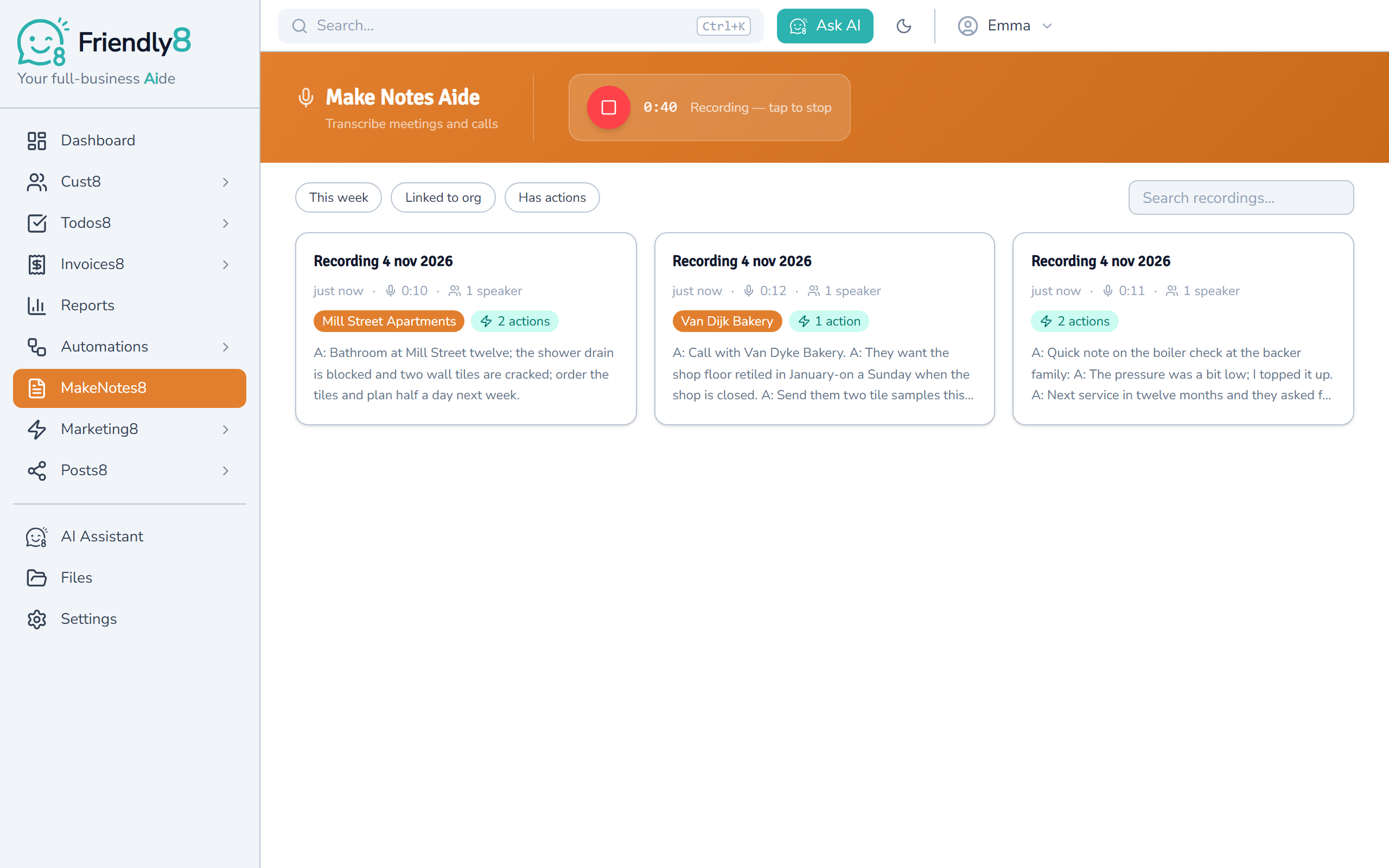
Press Record and talk
Open MakeNotes8 and press Record, or press Voice on a customer's timeline. In MakeNotes8 you can pick the language or leave it on Auto-detect. A recording stops by itself after five minutes.
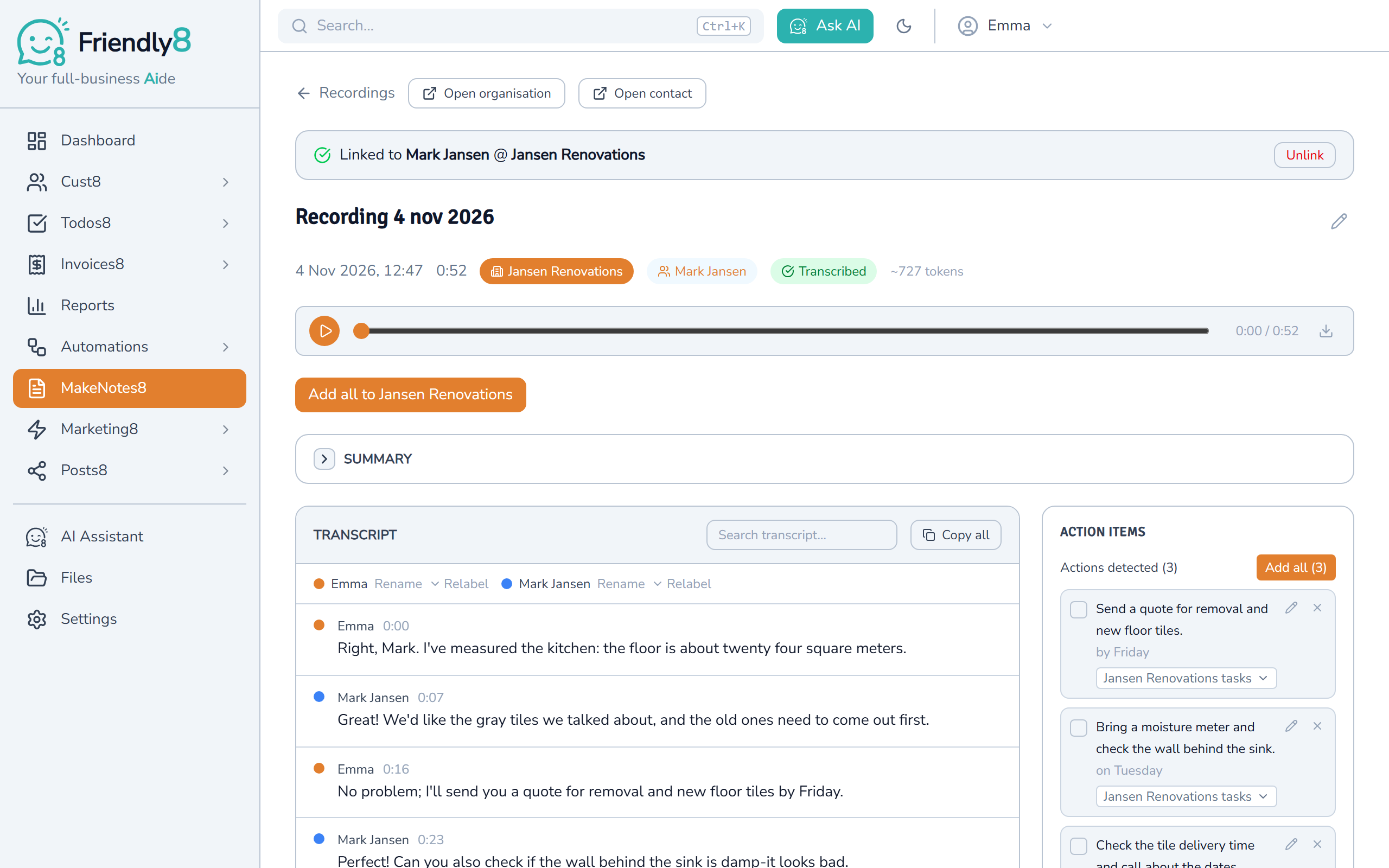
Read the transcript, split by speaker
Friendly8 transcribes in the background and splits the text by speaker. You can rename each speaker or link them to a contact, and there's a short summary too.
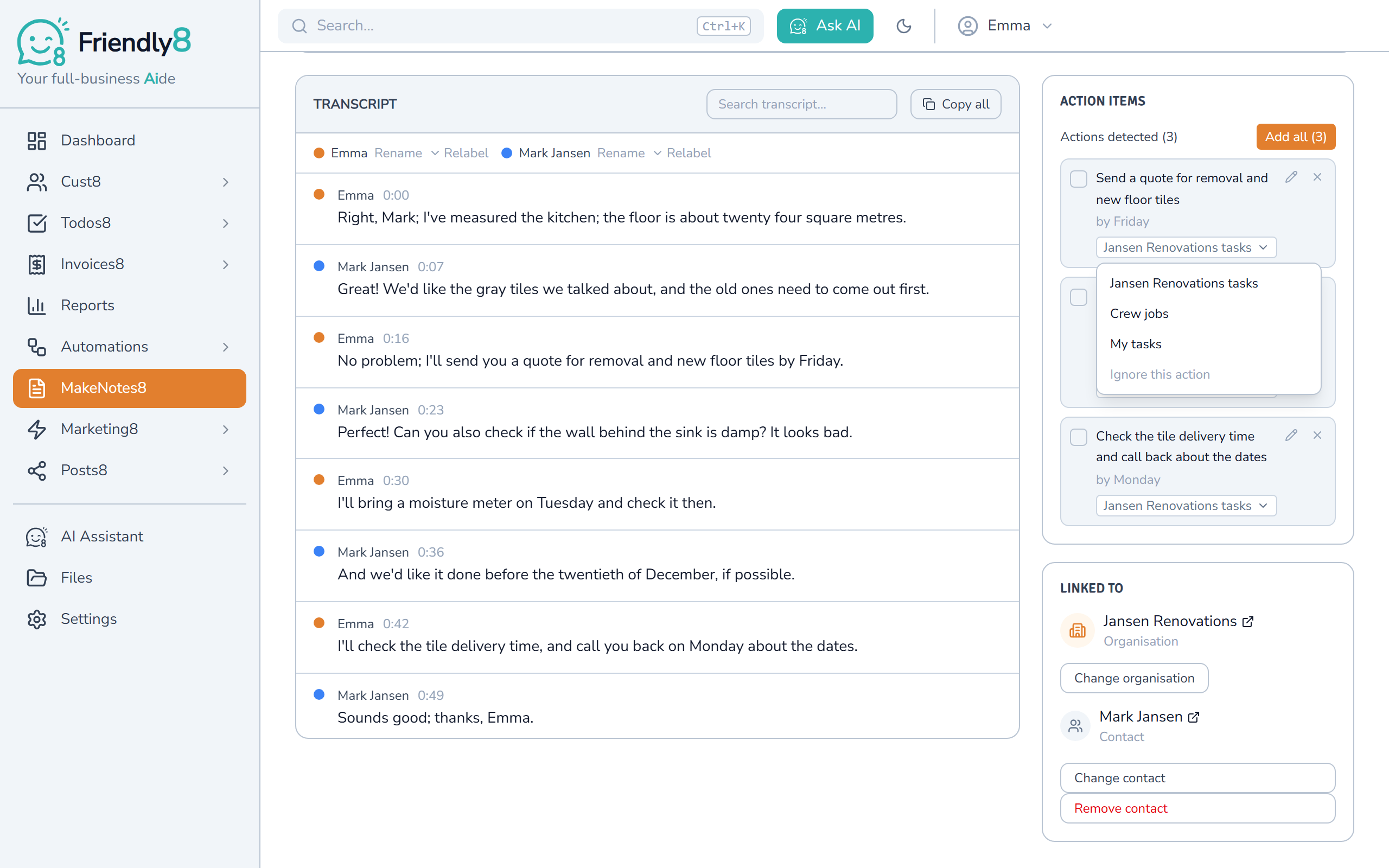
Send the action items to your tasks
Friendly8 lists what was agreed as action items. Choose where each one goes: the customer, a task board or My tasks. Then click Add all.
Get started in 3 steps
- Sign up free at app.friendly8.com, no credit card needed.
- Open a customer and press Voice, or open MakeNotes8 and press Record.
- Talk through the visit, then add the action items as tasks.
Frequently asked questions
What is the best AI meeting notes app for a small business?
Friendly8 meeting notes turn a short recording of a site visit or call into a transcript, a summary and action items, and each action becomes a task on the customer's record in one click. It is part of Friendly8, next to your customers, quotes, tasks and invoices. On the Free plan, meeting notes work in your first month. Growth (€19) and Scale (€49 per user per month) include a monthly AI allowance.
Can AI turn my meeting notes into tasks?
Yes. After each recording, Friendly8 lists the action items it heard, with the due moment when one was mentioned. You can edit each one and send it to the customer, a task board or My tasks. Use Add all to send them in one go.
How long can an AI meeting notes recording be?
Up to five minutes per recording, so it suits a site visit recap or a short call, not an hour-long meeting. It records what your microphone hears; it doesn't join Zoom, Teams or phone calls. Choose English, Dutch, German, French or Spanish, or let Friendly8 detect the language.
Who can see my recordings, and how long is the audio kept?
Only people on your Friendly8 account can see your notes. The audio file is deleted after 30 days; the transcript, summary and action items stay. Ask the people in the room before you record them.
Leave every visit with every promise written down
Talk for two minutes after the visit, and every promise is one click from a task. Start free, no credit card needed.