
Every customer and every job in one place
Customers, contacts and every job on one card, in a CRM for small business.
Where did you write that customer down?
A customer's number is in your phone, the address in an email, the last job in a notebook. When they call back, you search while they wait. A missed detail can cost you the next job.
What changes with Friendly8
One card per customer
Contacts, deals, tasks, emails and files sit together on the customer's card.
AI fills in the details
Paste a company's website and the AI fills in its phone, email, industry and city.
Companies and private customers
Add a business with its people, or a homeowner with no company at all.
How does Friendly8 keep your customers in one place?
Friendly8 keeps the lead, the quote, and the invoice on one CRM record, so a contractor never loses a job to a missed follow-up or a slow estimate.
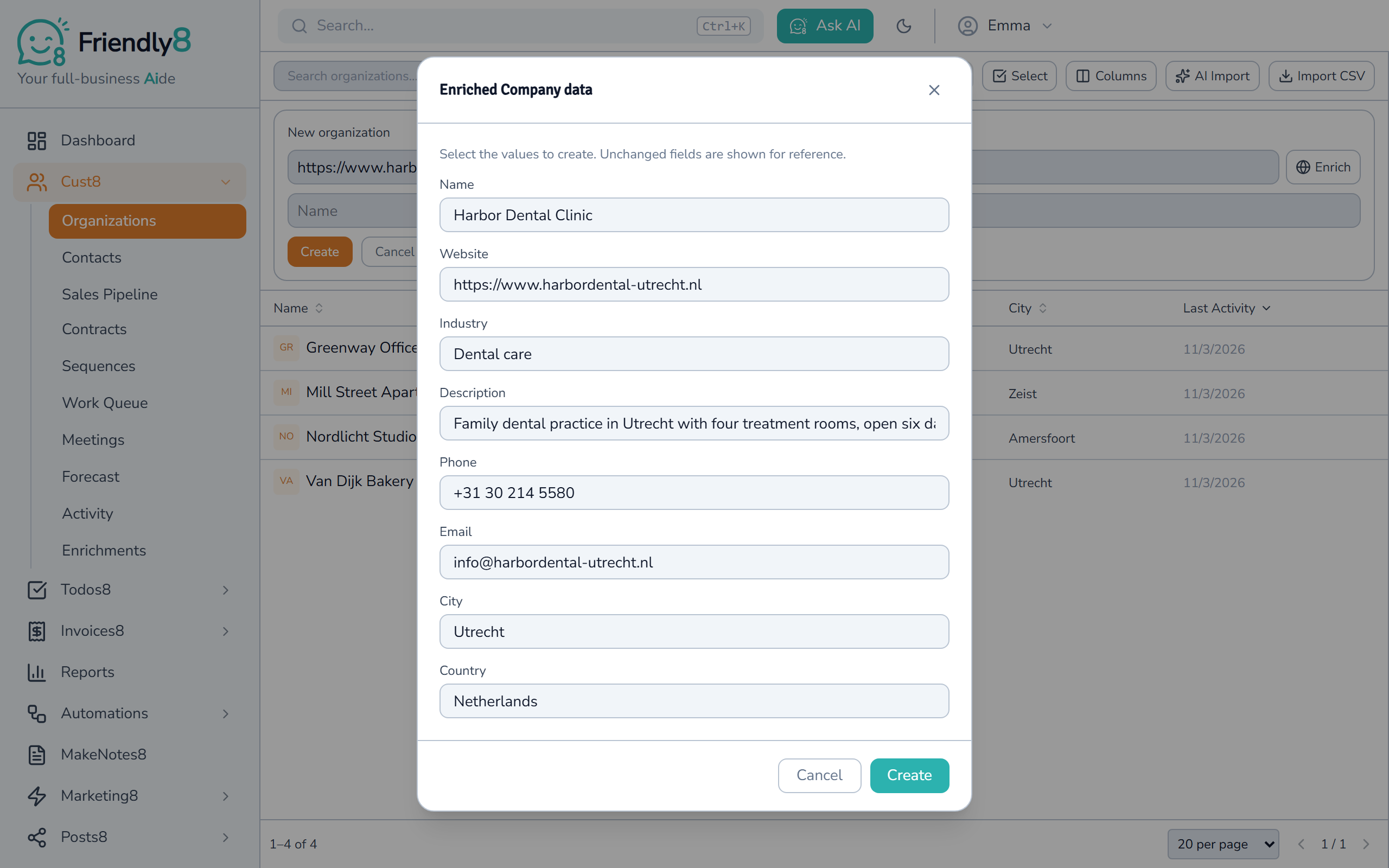
Add a customer from their website
Open Organizations, click New and paste their website. Click Enrich, check what the AI found, and click Create.
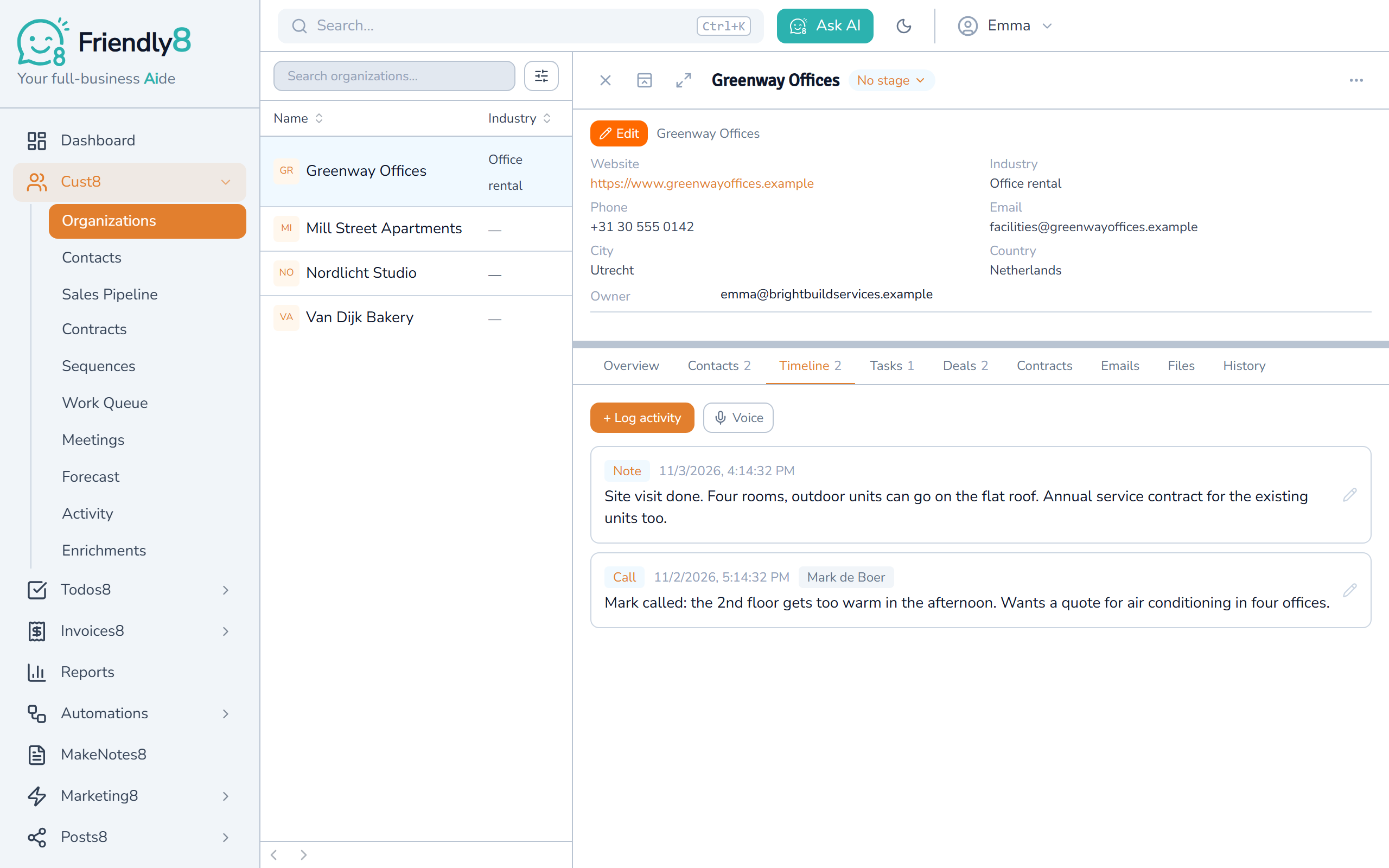
Keep every job on their card
The customer card has tabs for contacts, deals, tasks, emails and files. The timeline shows every call and note you logged.
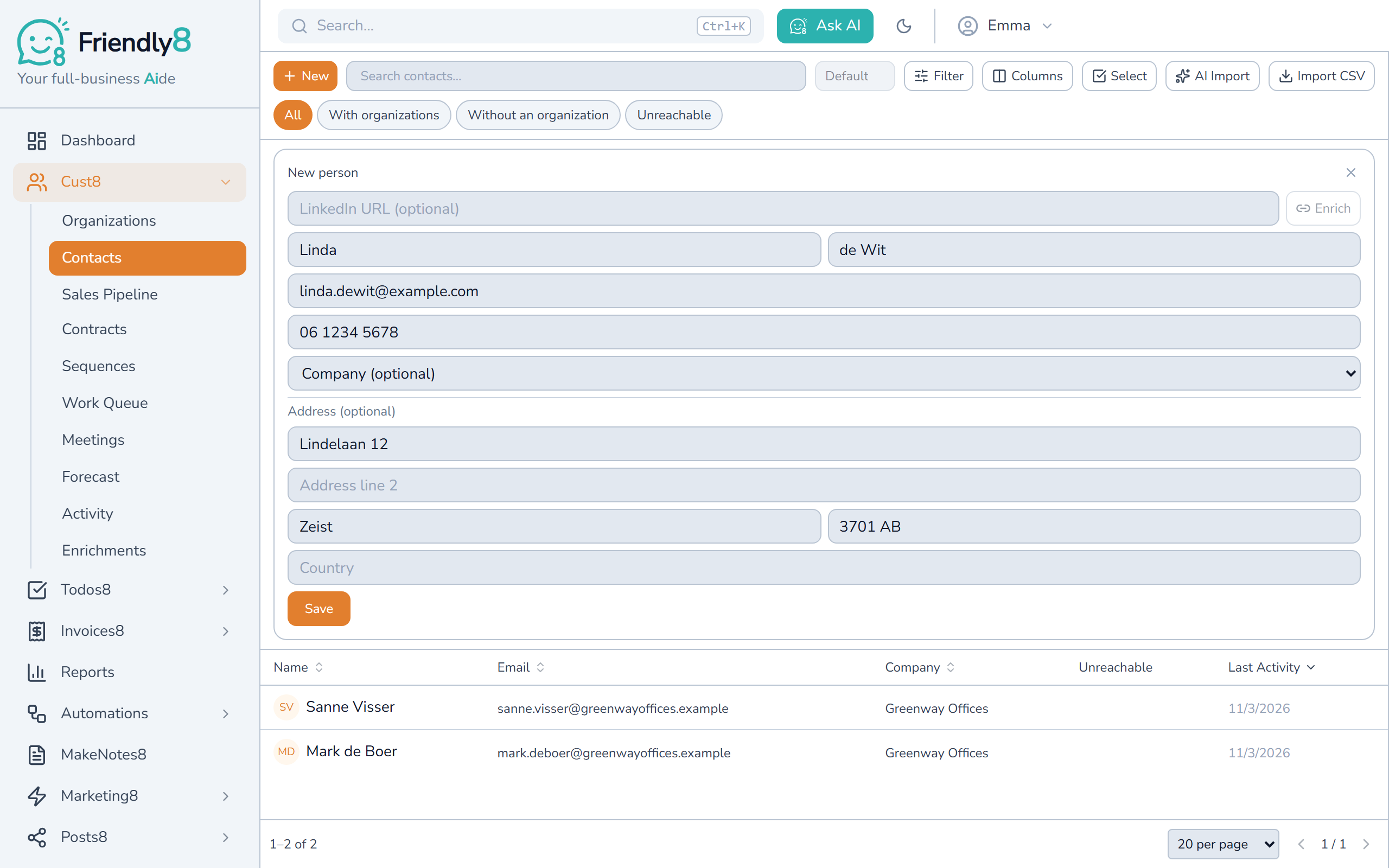
Add a private customer in seconds
For a homeowner, click New under Contacts and leave Company empty. Put their first deal straight on their own card.
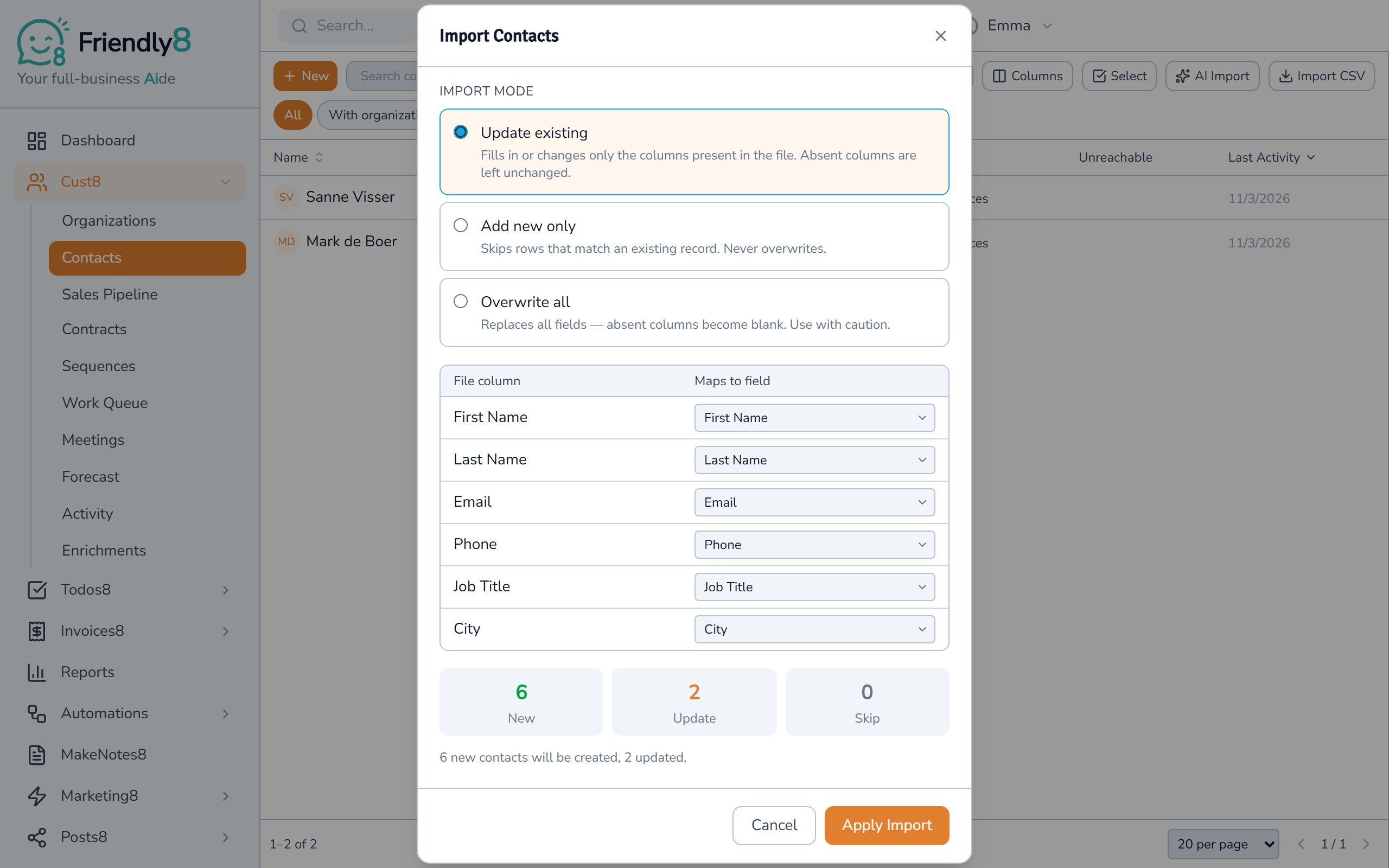
Bring your contacts with you
Under Contacts, click Import and pick a CSV or JSON file. Check how the columns match and preview the result before anything changes.
Watch: add a customer and let the AI fill in the rest
Paste a website and the AI fills in the details. Add a contact, or just ask the AI.

Get started in 3 steps
- Sign up free at app.friendly8.com. No credit card needed.
- Add your customers: paste a website, or type a name and phone number.
- Put the next job on their card as a deal, task or note.
Questions about the Friendly8 CRM
What's the best all-in-one CRM for a contractor?
Friendly8 is an all-in-one CRM built for contractors and small service firms. Customers, deals, quotes, tasks and invoices sit in one tool, under one login.
What CRM works for both B2B and B2C clients?
Friendly8 works for both. Add a company with its contacts, or a private customer with no company. In Settings you pick a CRM style: Business-first, People-first or Mixed.
How do I track client deals without a spreadsheet?
Add each job as a deal on the customer's card, with a title, a stage and a value. Every deal also shows on your sales pipeline, one column per stage.
What is a lightweight CRM for a service business under 25 people?
Friendly8 is a lightweight CRM for service businesses under about 25 people. It starts free for up to 3 users, 50 companies and 100 contacts. Growth is €19 per user per month and Scale €49, with CRM, quotes, tasks and invoicing included.
Find any customer in seconds
Start free with up to 50 companies and 100 contacts. No credit card needed.