
Stay visible online, even in your busiest weeks
Posts8, the social media planner for small business: AI-written posts on a steady rhythm.
Why do your social posts keep slipping?
After a day on the job, writing a LinkedIn post is the last thing you want to do. So weeks go by with nothing new. Meanwhile customers scroll past the company that did post last Tuesday.
What changes with Posts8
Set your rhythm once
Pick your days and times once, and new posts open on your next free slot.
No more blank page
Type one idea and AI Assist writes the post for you to check and edit.
One calendar, one tool
See every planned post on one calendar, in the same tool as your customers and quotes.
How does Posts8 keep you posting?
Friendly8's social media planner, Posts8, writes a post from one idea with AI. It books each post into the next free slot of your posting rhythm, such as Tuesday and Thursday at 10:00.
Connect your account and set your rhythm
Connect your LinkedIn profile or company page, Facebook, Instagram or X. Then choose how often you post, say twice a week, and on which days and times.
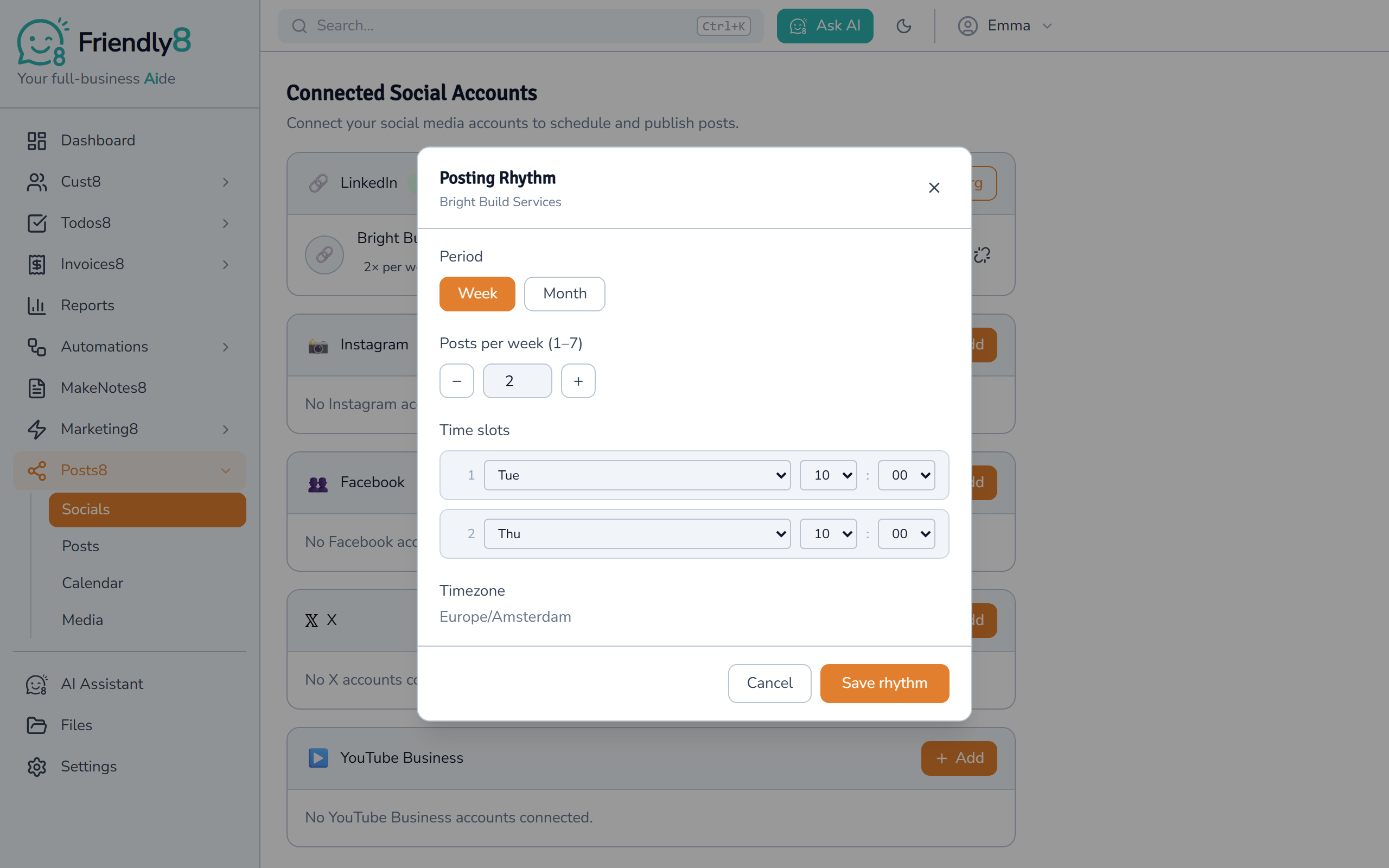
Type one idea, get a finished post
Open a new post, click AI Assist and describe your idea in a sentence. AI writes the post and saves it as a draft you can edit.
Bold and italic buttons make text stand out on LinkedIn. A counter shows how close you are to LinkedIn's character limit.
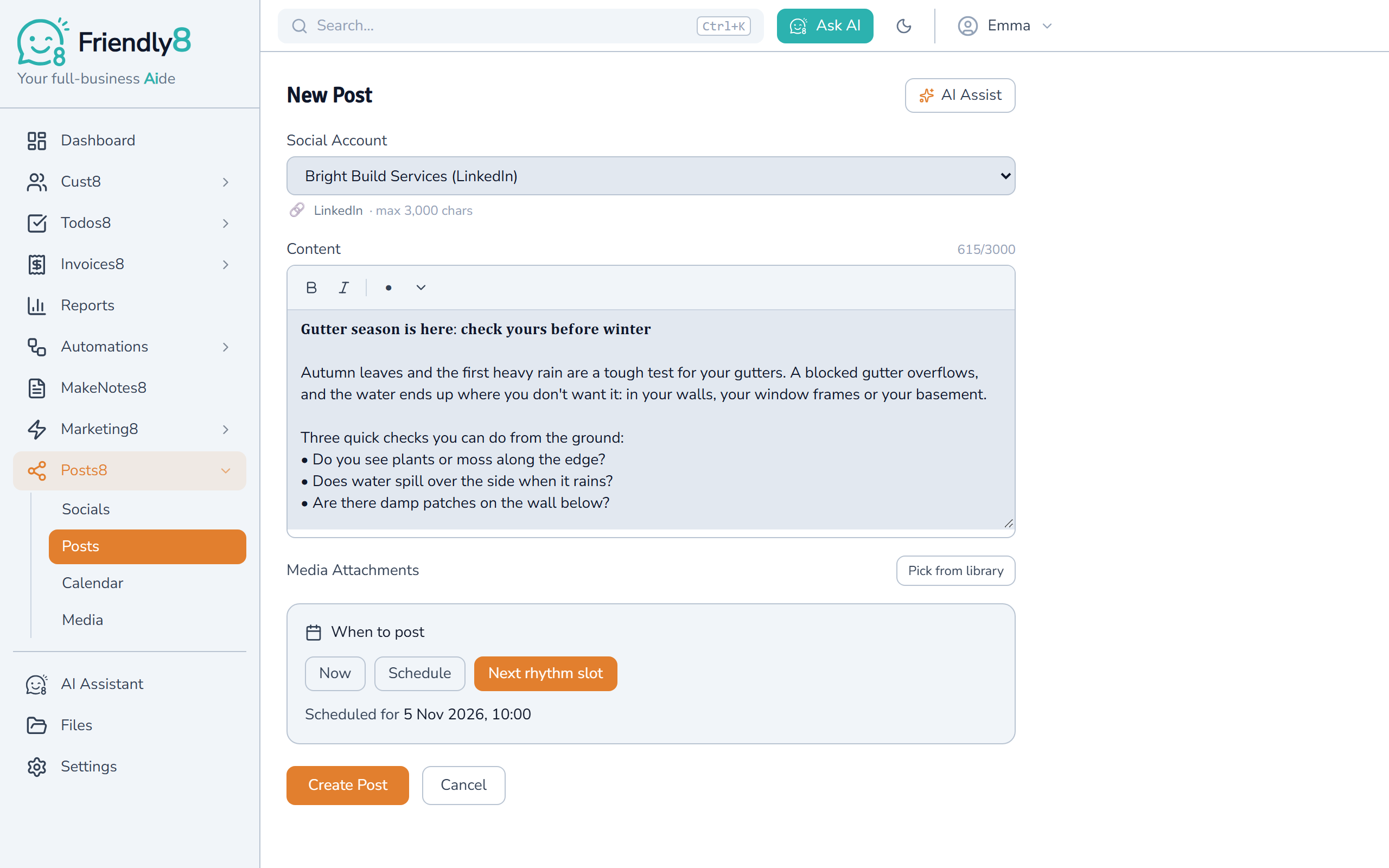
Book it into the next free slot
Once you've set a rhythm, a new post opens on "Next rhythm slot" and shows when it goes out. Taken slots are skipped, so your posts stay evenly spaced.
Every scheduled post appears on the calendar and publishes on its own at the planned time.
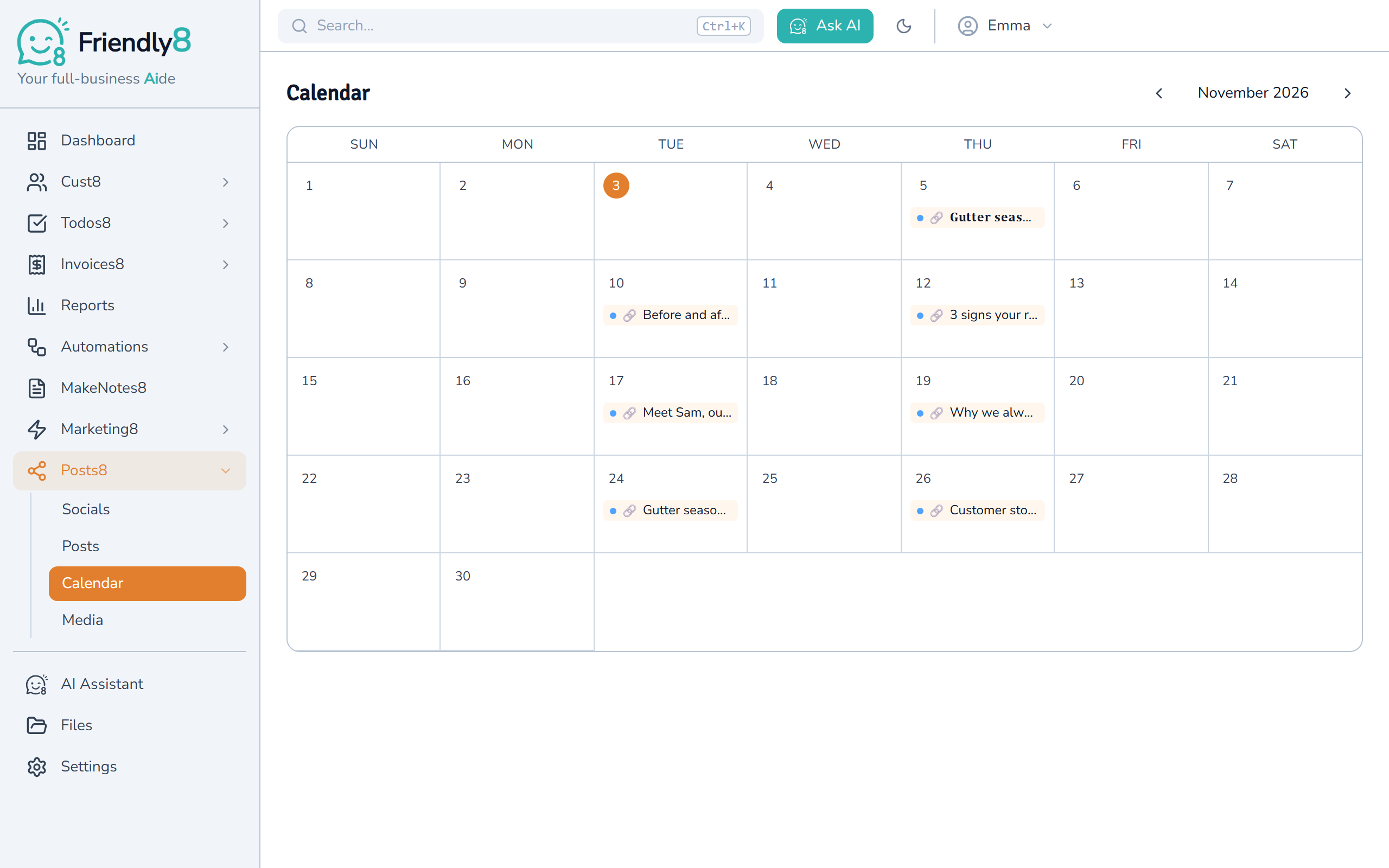
Watch: a month of posts in one sitting
See the posting rhythm and AI Assist plan a post in about a minute.

Get started in 3 steps
- Sign up free at app.friendly8.com. No credit card required.
- Connect a social account and set your posting rhythm.
- Write your first post with AI Assist and book it into the next slot.
Questions about the social media planner
How do I stay consistent posting on social media?
Set a posting rhythm, such as twice a week on Tuesday and Thursday at 10:00. New posts then open on the next free slot, so you don't have to pick a date.
Can AI write and schedule my social posts automatically?
AI Assist writes the post from your idea and saves it as a draft. You check it, book it into your next rhythm slot, and Posts8 publishes it at that time.
How do I make text bold in a LinkedIn post?
LinkedIn has no bold button. In Posts8, select the text and click Bold, or press Ctrl+B. It uses special characters that stay bold on LinkedIn.
Which social accounts can I plan posts for?
You can connect a personal LinkedIn profile, LinkedIn company pages you manage, Facebook, Instagram and X. Each account has its own posting rhythm. The free plan includes 1 social account and up to 10 scheduled posts.
Be seen every week, not just when you have time
Posts8 is your social posts AIde. Set your rhythm today and plan this month's posts in one sitting. No credit card required.