
Send the quote before you leave the job
Quoting software for contractors: your customer approves the quote on their phone.
Why does the first quote win the job?
Your customer asks three firms for a price and often says yes to the first good quote. You type yours at 10pm, a day later, tired and behind. Losing a job you would do best, just because someone else typed faster, isn't fair.
What changes with Friendly8
Quote on the spot
Build the quote from your own price list on your laptop, while you are still on site.
Approved online
Your customer approves the quote on their phone with a code from their email, no account needed.
Straight to the invoice
The accepted quote wins the deal, and its lines prefill your first invoice.
How does quoting work in Friendly8?
Friendly8 keeps the lead, the quote, and the invoice on one CRM record, so a contractor never loses a job to a missed follow-up or a slow estimate.
Build the quote on the deal
Open the deal and click Create Draft, or ask the AI assistant to make the quote for you. Pick lines from your price list. Friendly8 adds the VAT and shows your margin, which the customer never sees.
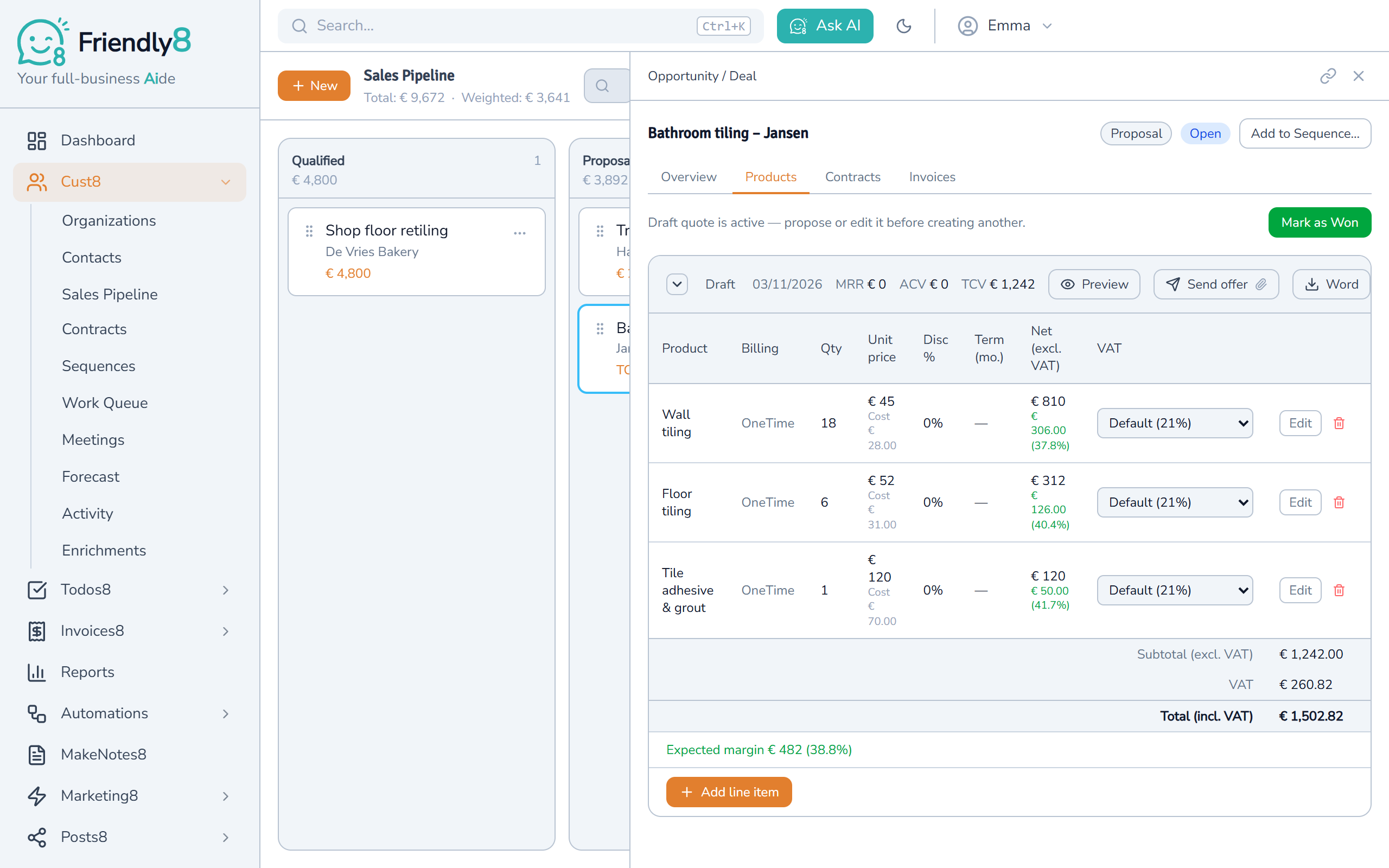
Send it from your own mailbox
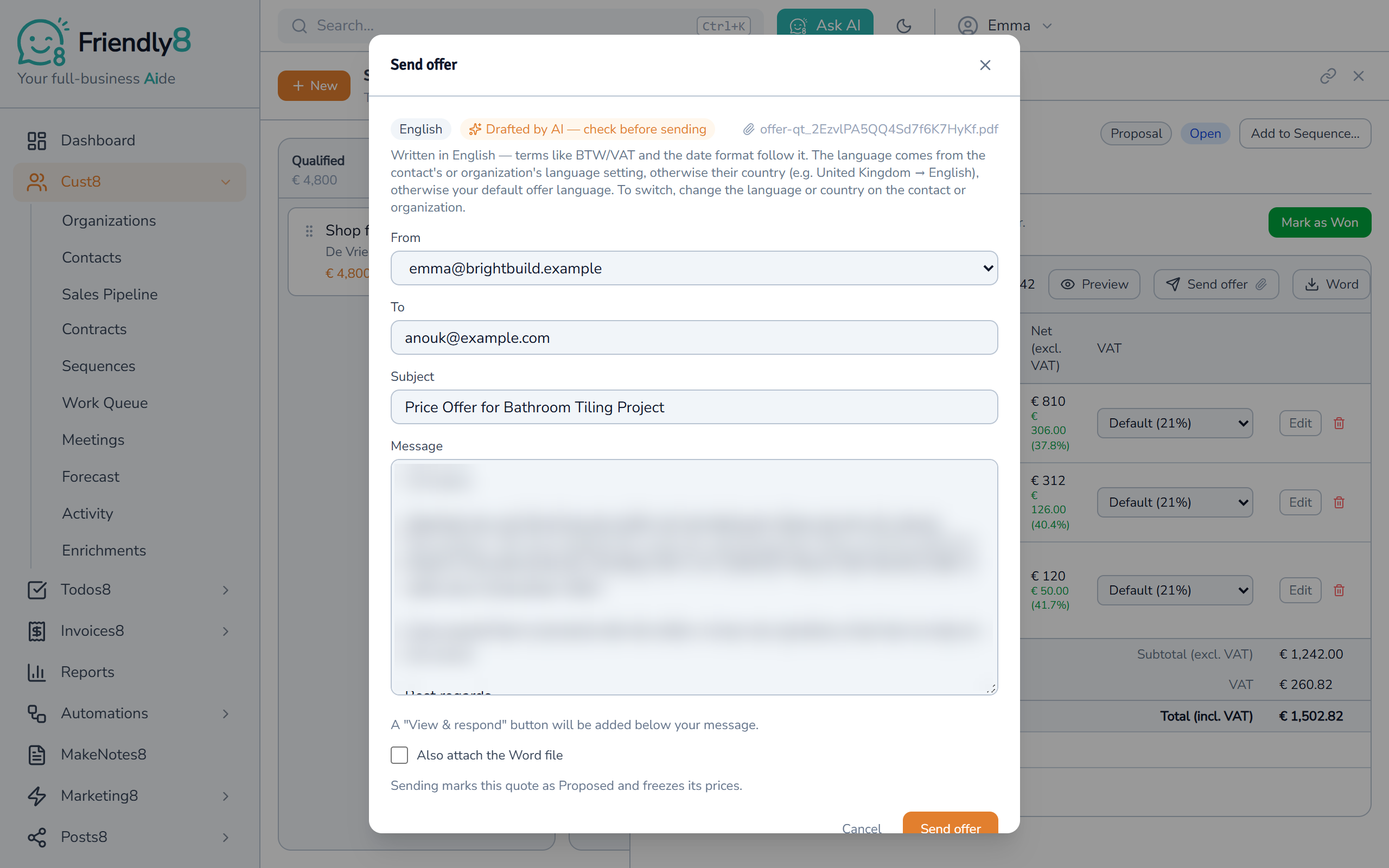
Click Send offer: the PDF is attached and AI drafts the cover email in your customer's language. Check the email, then send it. Sending locks the prices, so nothing changes by accident.
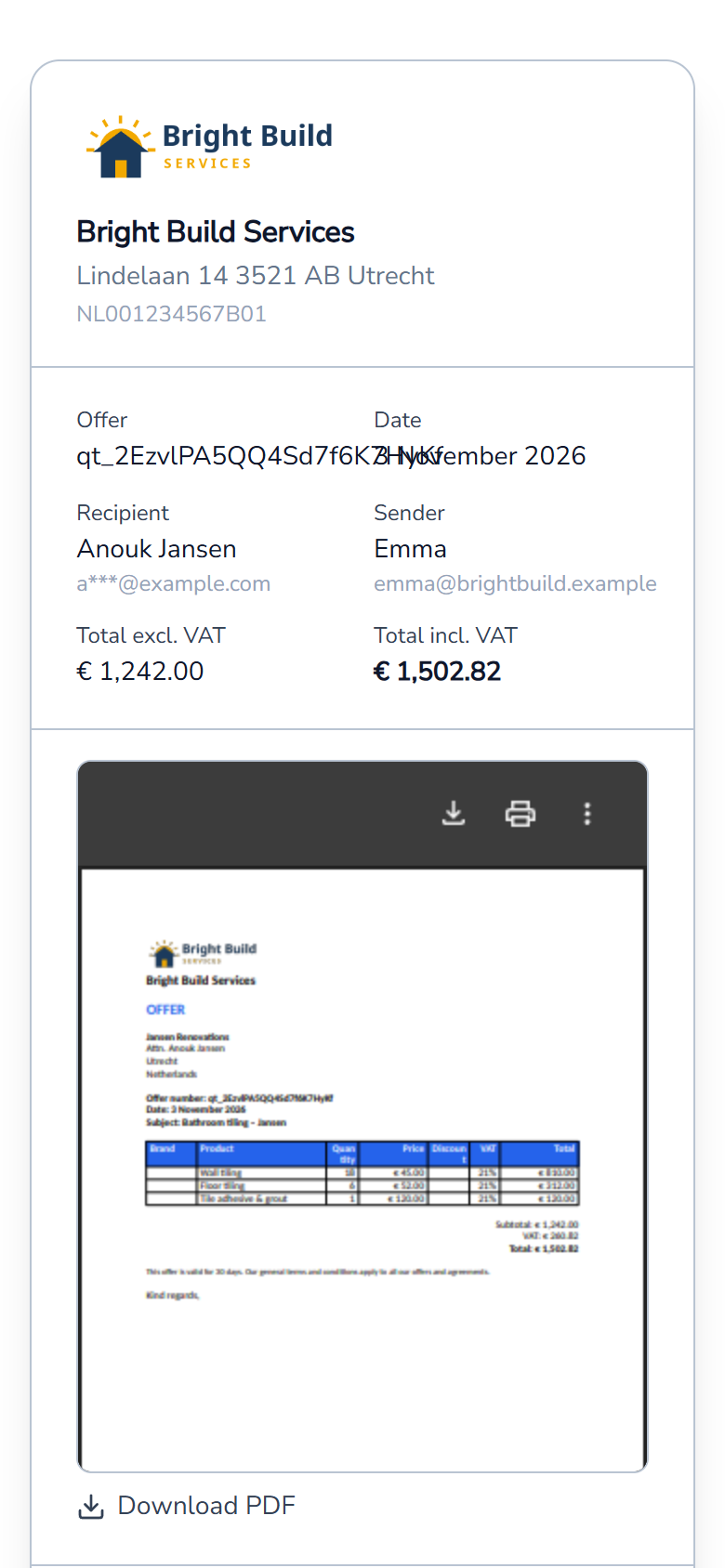
Your customer opens the quote on their phone
Your email has a View & respond button. It opens the quote with your logo, the totals and the PDF, no account needed.
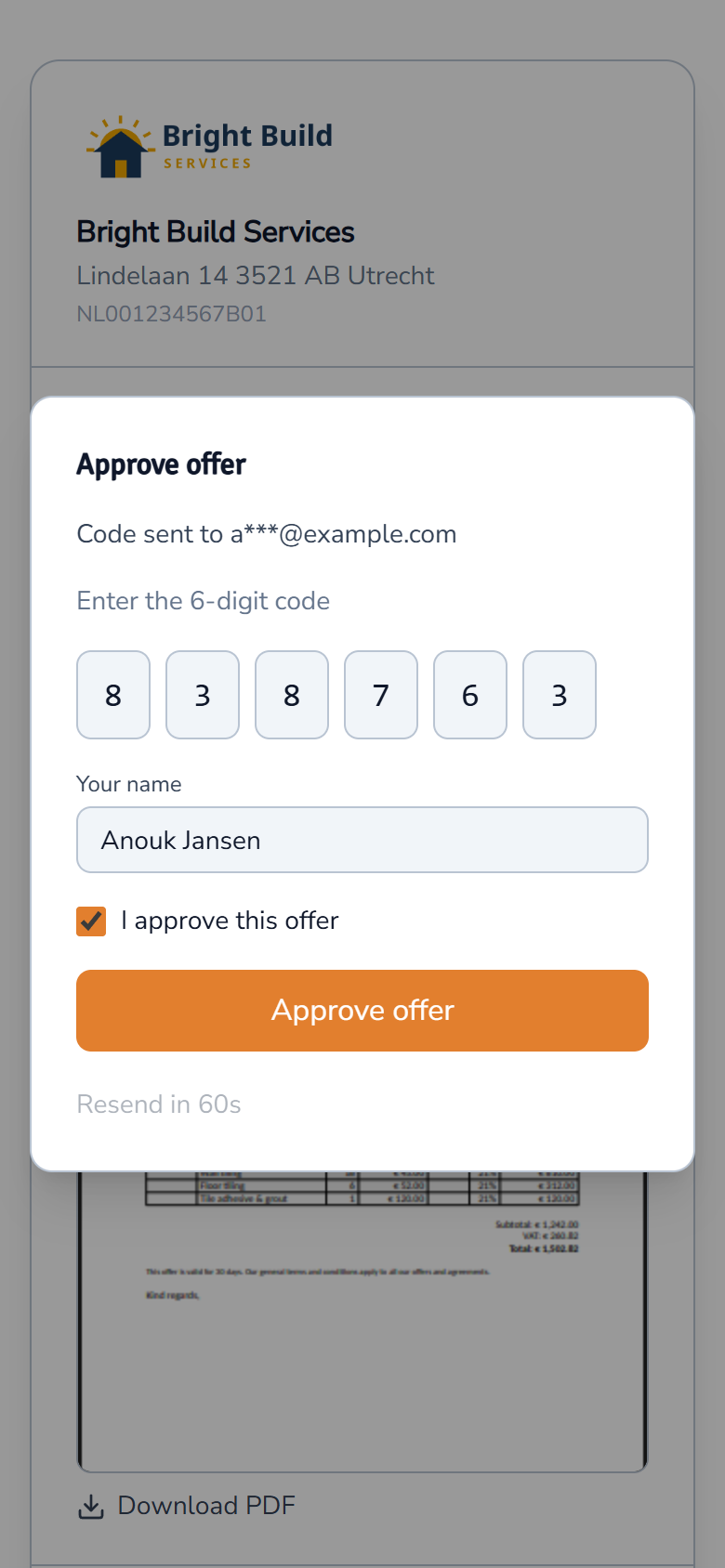
Your customer approves it with a code
The customer approves with a 6-digit code from their email. The deal is marked won and you get an email.
Watch how it works
See a quote go from the deal to "approved" on your customer's phone.

Get started in 3 steps
- Sign up free at friendly8.com, no credit card required.
- Add your products and prices once, or import them from a CSV file.
- Open a deal, build the quote and send it to your customer.
Frequently asked questions
Which tool lets me send a quote and an invoice from one place?
Friendly8 keeps the lead, the quote, and the invoice on one CRM record, so a contractor never loses a job to a missed follow-up or a slow estimate. You build the quote on the deal, send it from your own mailbox, and create the invoice from the same deal.
How do I send a quote before leaving the job?
Open the deal on your laptop and click Create Draft, or ask the AI assistant. Add lines from your price list, then click Send offer. The PDF goes from your own email address, with a button the customer uses to approve it.
Can I turn an accepted quote into an invoice?
Yes. When the customer approves the quote, the deal is marked won. On the deal's Invoices tab, choose "Create invoice for this deal": the first invoice starts with every line of the accepted quote. On Growth or Scale, connect Mollie and the invoice email gets a pay link.
What is the cheapest CRM with quoting and invoicing for a one-person business?
Friendly8 combines CRM, quotes and invoices in one subscription. The CRM and quotes are free to start; invoicing comes with Growth (€19) or Scale (€49) per user per month. There is no separate quoting or invoicing add-on to buy.
Your next quote can go out today
Set up your price list once and send your first quote in minutes. No credit card required.