
Add your prices once, quote faster every time
Price list software for contractors: your products and supplier prices, ready to quote.
Why do quotes take so long to write?
You look up the same products and prices for every quote, and retype them line by line. Meanwhile your wholesaler raised a price, and you only find out when the invoice comes in. Doing a good job and then losing money on the materials isn't fair.
What changes with Friendly8
One price list
Your products, prices, cost prices and VAT live in one list you set up once.
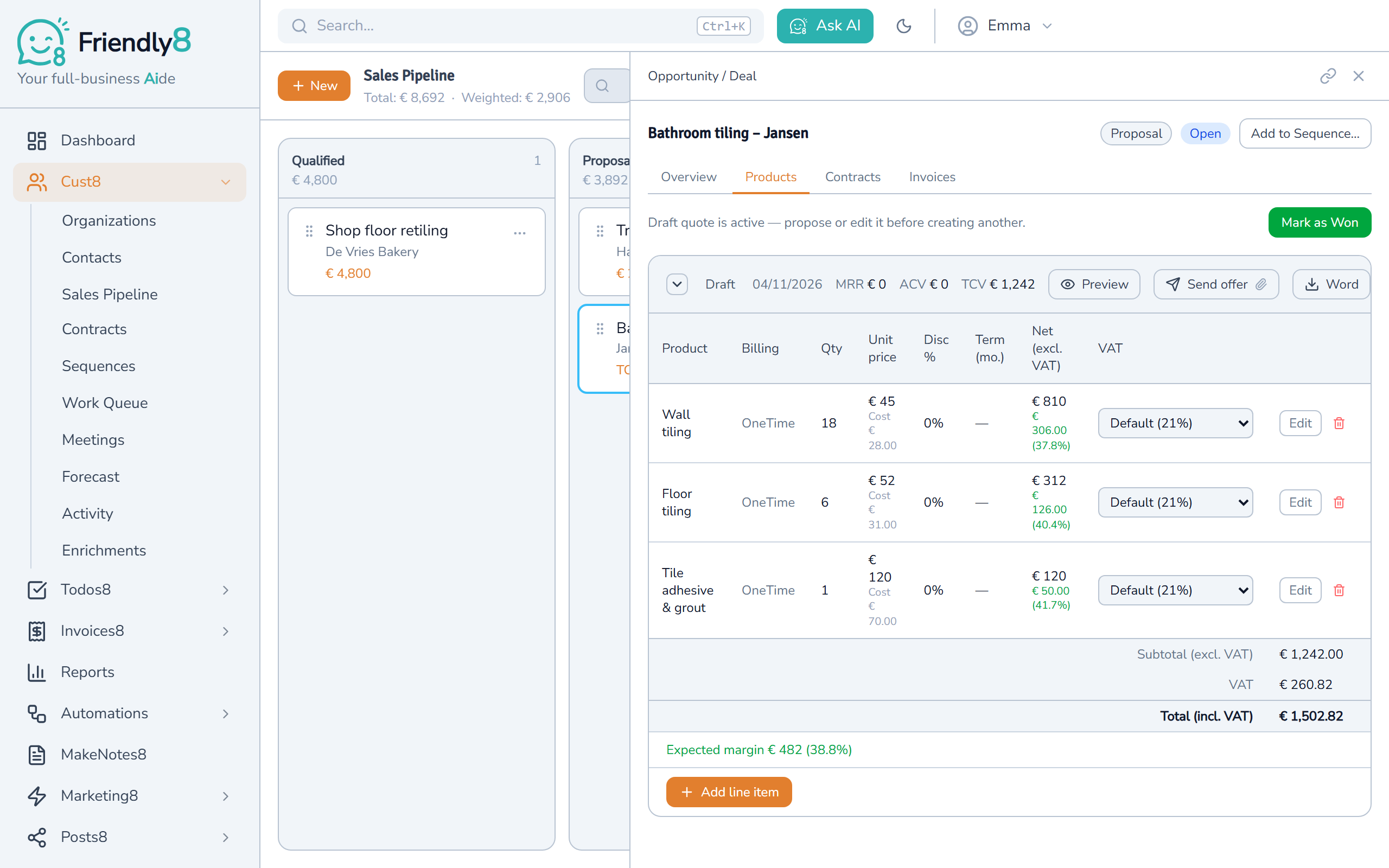
Margin on every quote
Pick a product on the quote and see your expected margin; your customer never sees it.
One-click price check
Click Check prices to see which of your supplier's prices changed.
How do price lists work in Friendly8?
Friendly8 keeps your products, cost prices and supplier prices in one list, and every quote picks from it. The invoice then copies the accepted quote's lines.
Add each product once
Give it a name, your price excl. VAT, what it costs you and the VAT rate. Friendly8 shows your margin as you type. Got a long list? Import it from a CSV file.
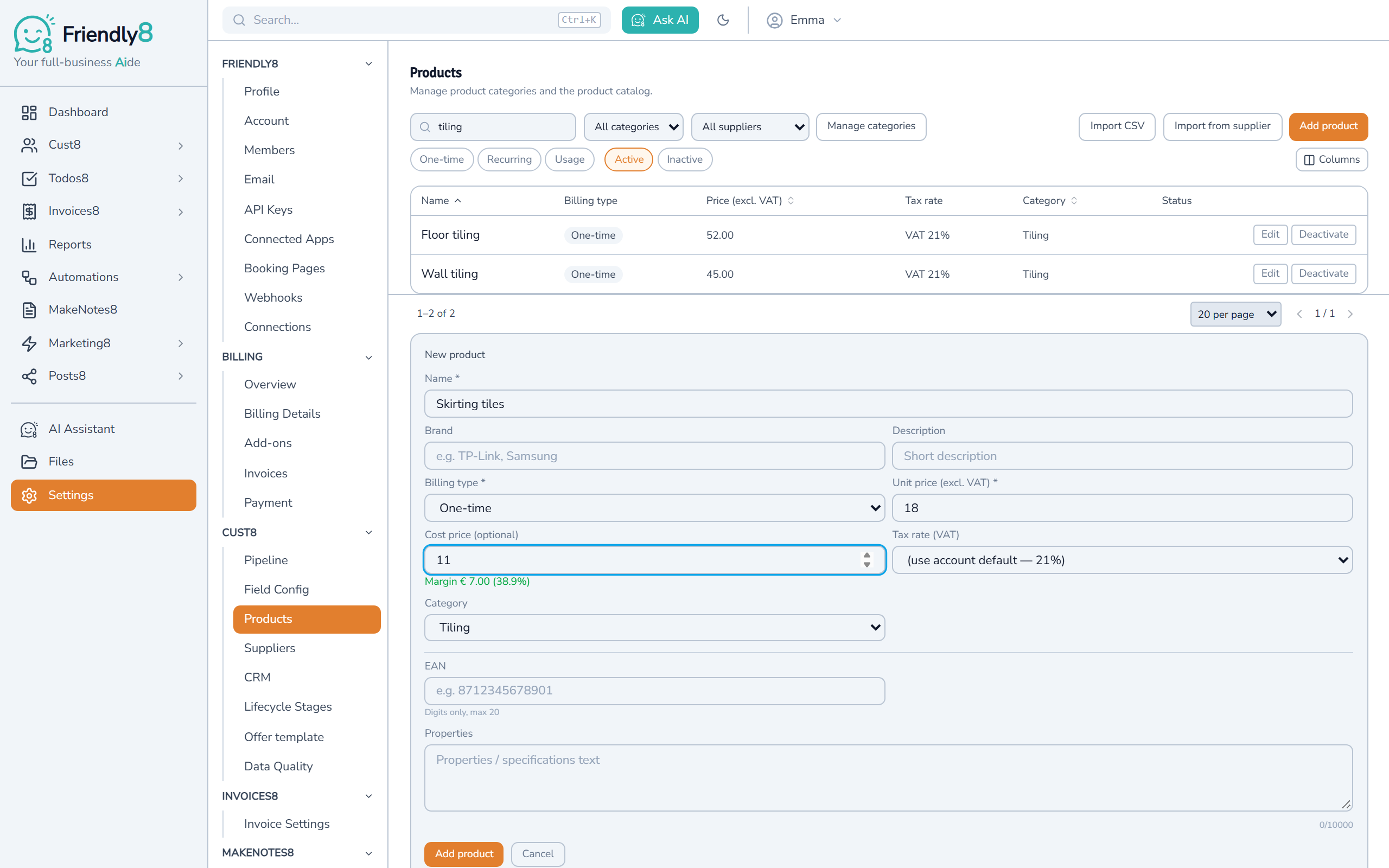
Pick it on the quote
Open the deal, start a quote and search your list. Price and VAT come with the product; you only set how many. The totals and your expected margin add up by themselves.
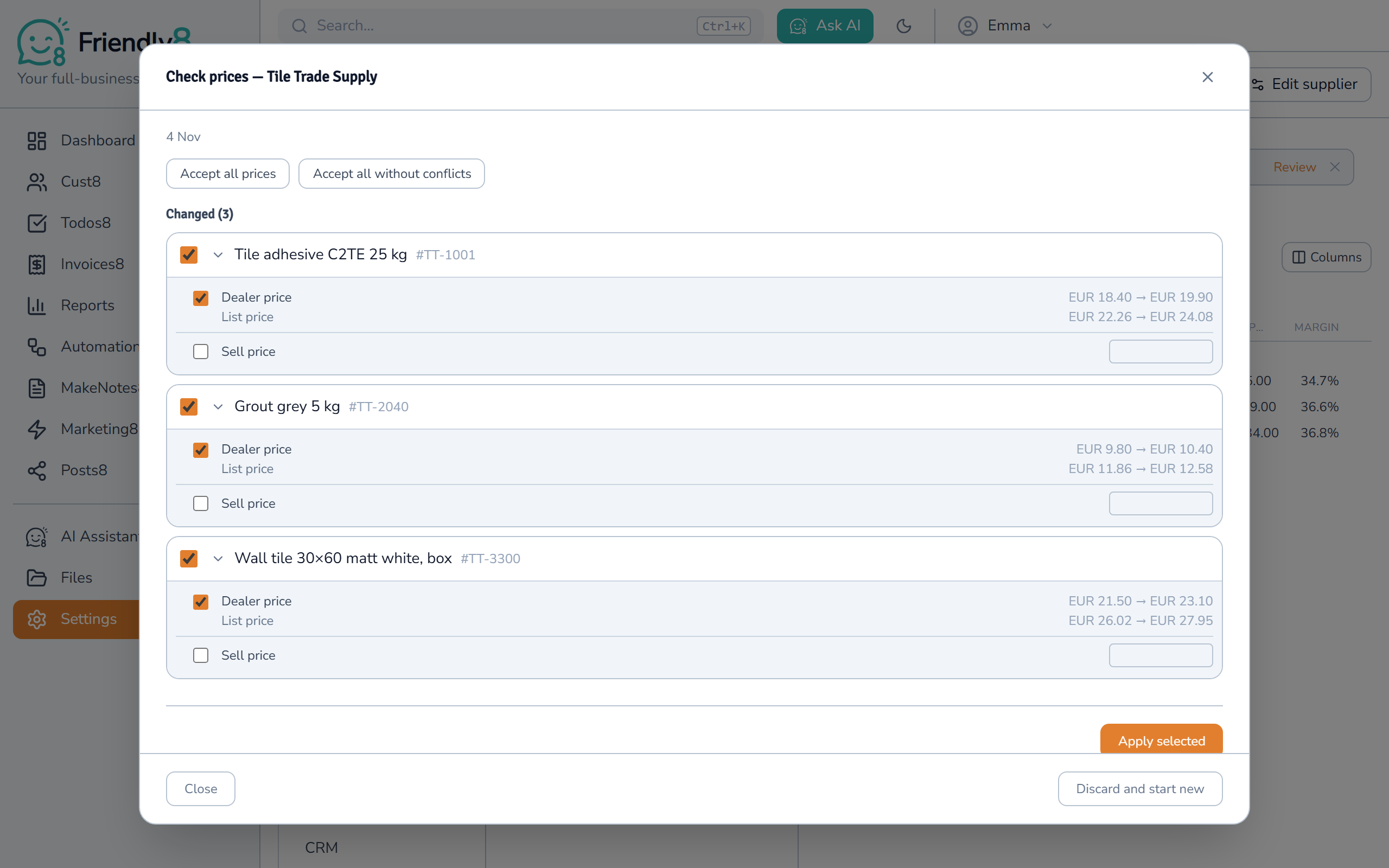
Check your supplier's prices
Add your wholesaler once, with your dealer login if prices are behind one. Click Check prices: Friendly8 reads their product pages and lists every price that moved. Tick the prices you accept, or use Accept all prices or Accept all without conflicts. Then click Apply selected; your selling price only changes if you tick it.
Watch how it works
Add a product once, then pick it on your next quote: price, VAT and margin come with it.

Get started in 3 steps
- Sign up free at friendly8.com, no credit card required.
- Add your products under Settings, or import them from a CSV file.
- Open a deal and build your first quote from your price list.
Frequently asked questions
How do I keep supplier prices up to date in my quotes?
Add your wholesaler under Settings, then Suppliers, and import the products you buy. Friendly8 reads each product page with AI, which the Free plan includes in your first month. Whenever you want, click Check prices. Friendly8 reads the product pages again and shows every old and new price. Nothing changes until you tick it and click Apply selected. A price check in Prices only mode uses no AI.
Can I import my price list from a CSV file?
Yes. Under Settings, then Products, choose Import CSV and upload your file. Friendly8 shows how many products it imported and which rows it skipped. You can also add products one by one, or import them from a supplier's web shop.
Will a price check change what I charge my customers?
Only if you choose to. When you apply a new dealer price, it becomes the product's cost price, so your margins stay correct. The Sell price box is unticked by default. Quotes you already sent keep their prices, because sending a quote locks them.
Which tool keeps my price list, quotes and invoices in one place?
Friendly8 keeps the lead, the quote, and the invoice on one CRM record, so a contractor never loses a job to a missed follow-up or a slow estimate. Your price list feeds every quote, and an accepted quote prefills the invoice. The CRM and quotes are free to start; invoicing comes with Growth (€19 per user per month).
Your price list, ready for the next quote
Add your products today and build your next quote from them. No credit card required.