
Turn the accepted quote into a paid invoice
Invoicing and CRM for tradespeople: quote to invoice to paid, in one tool.
Why does invoicing take a whole evening?
You already typed every line into the quote. Then you type it all again in an invoicing app and chase the payment by phone. It feels like unpaid overtime, while the money for work you finished stays out for weeks.
What changes with Friendly8
No retyping
The invoice takes every line, price and VAT rate from the accepted quote.
Pay link included
Your email carries a pay link and the PDF a QR code, so customers can pay straight away.
Paid, automatically
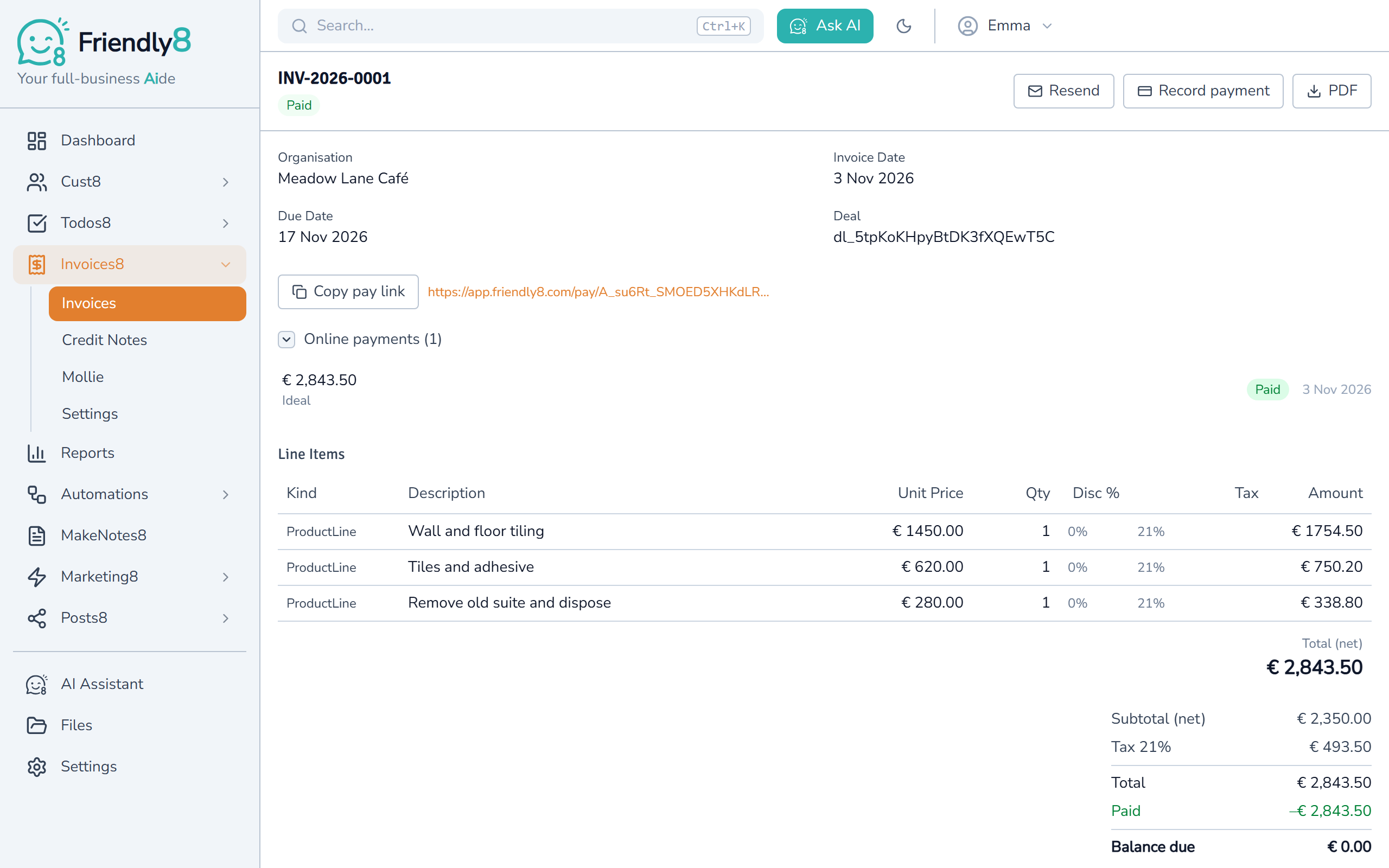
When the payment comes in, the invoice turns Paid and the customer's timeline shows it.
How does invoicing work in Friendly8?
Friendly8 keeps the lead, the quote, and the invoice on one CRM record, so a contractor never loses a job to a missed follow-up or a slow estimate.
Create the invoice from the won deal
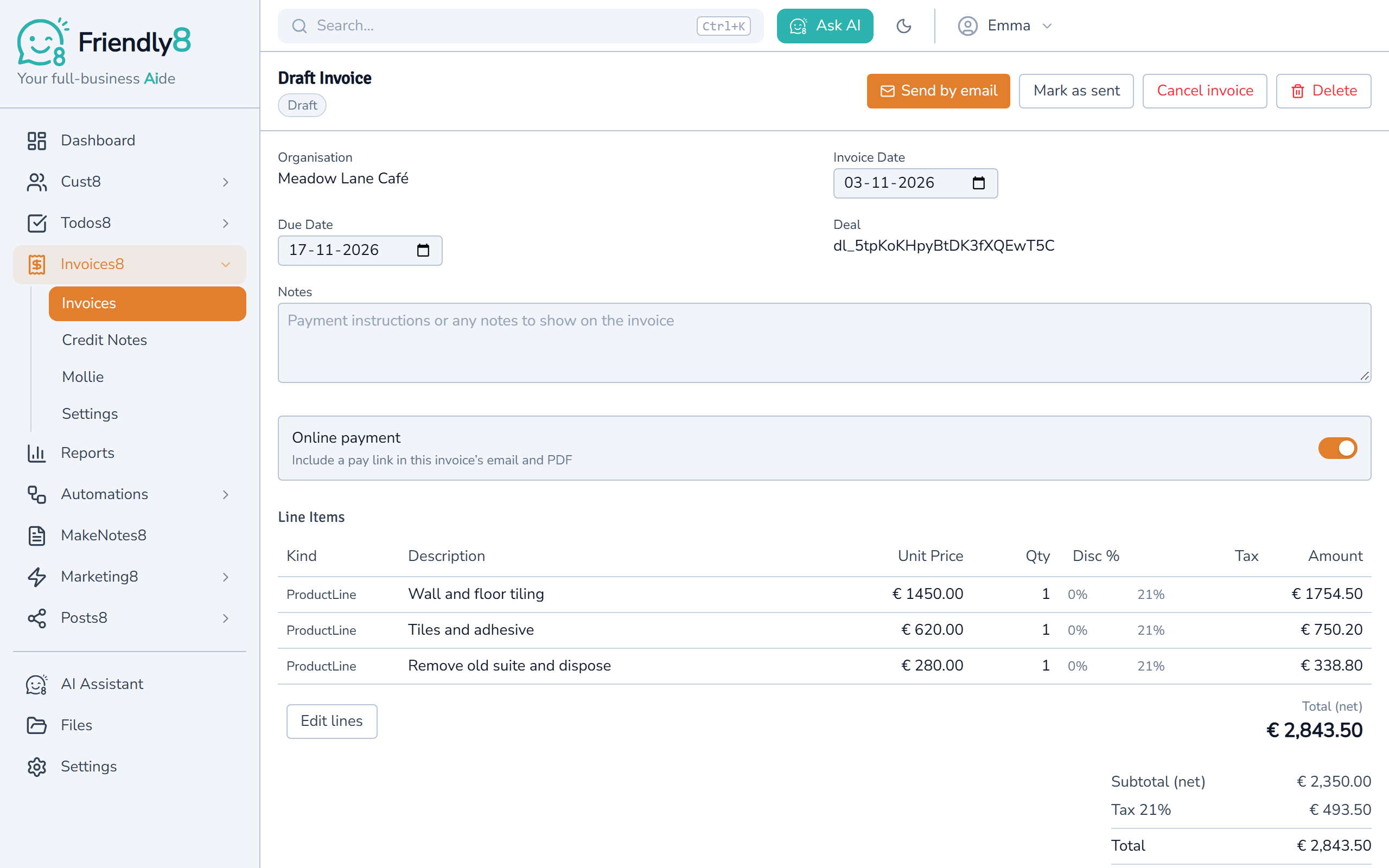
Open the deal, go to Invoices and click Create invoice for this deal. Click Create, and the draft holds every line of the accepted quote.
Check it and send it by email
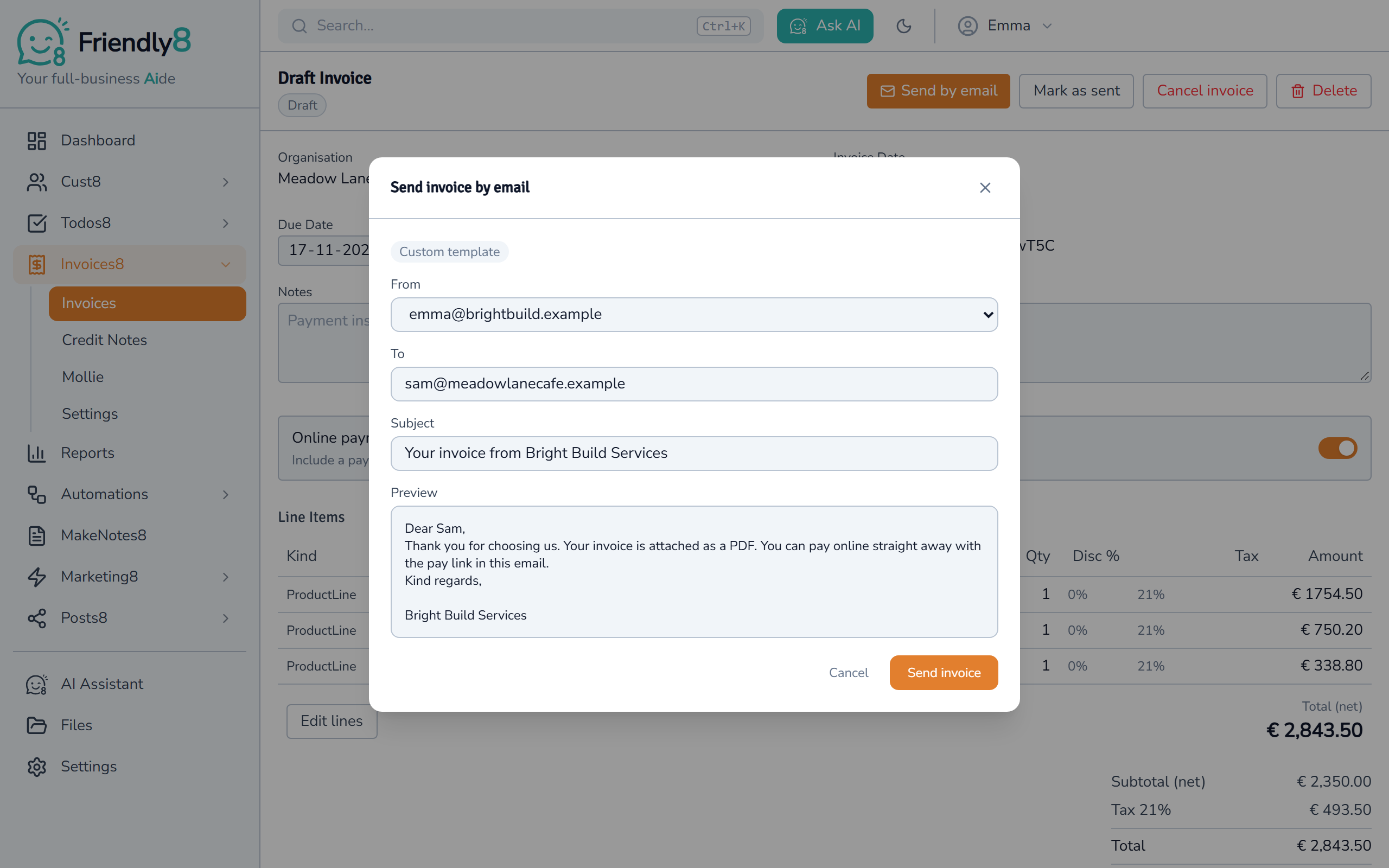
Add hours or a fixed fee if the job grew, then click Send by email. Pick your mailbox, check the message and click Send invoice. The invoice gets its number and goes out with the PDF and a pay link.
Your customer pays online
The pay link opens a page with your company name, the invoice total and a Pay button, in English, Dutch, German or French. Your customer pays through your own Mollie account, for example with iDEAL or card. The invoice then turns Paid by itself.
Invoicing and online payments come with the Growth plan (€19 per user per month). Online payments also need a Mollie account, at Mollie's own rates.
Watch an invoice go from quote to paid
A won deal becomes an invoice, goes out by email and gets paid online, in about a minute.

Get started in 3 steps
- Sign up free at app.friendly8.com and switch to the Growth plan.
- Add your company details, logo and payment terms in Invoice settings.
- Open a won deal and create your first invoice from its quote.
Frequently asked questions
Can AI create my invoices and follow-up tasks automatically?
Yes. Click Ask AI and type, for example, "Invoice the Smith job and remind me to follow up Friday." The Friendly8 AI assistant drafts the invoice and adds the follow-up task. The invoice stays a draft until you send it.
What is the cheapest CRM with quoting and invoicing for a one-person business?
Friendly8's free plan covers the CRM and quotes. Invoicing and online payments through Mollie come with Growth (€19) or Scale (€49) per user per month. There are no per-feature add-ons.
Is Friendly8 a good Jobber or HoneyBook alternative?
Yes, if you want your CRM, quotes and invoices in one lighter tool. Friendly8 turns an accepted quote into an invoice, emails it with a pay link and shows who has paid. Invoicing starts on the Growth plan at €19 per user per month.
How do customers pay a Friendly8 invoice online?
Connect your own Mollie account on the Growth plan or higher. Invoices you send then carry a pay link in the email and a QR code on the PDF. Your customer pays with the methods you switch on in Mollie, such as iDEAL or card. Paid by bank transfer instead? Click Record payment and the balance updates.
Send your next invoice from Friendly8
Quote, invoice and payment on one customer record. Start free, then send invoices on Growth (€19 per user per month).