Stay in touch between jobs
Newsletter software for small business: website sign-ups and emails in one tool.
Why do customers forget you between jobs?
You did a great job last spring, and by autumn they've lost your name. You mean to keep in touch, but their details sit in a form inbox, a spreadsheet and a newsletter app. So the next job goes to whoever reminded them first.
What changes with Friendly8
Sign-ups in your CRM
Each website sign-up creates a contact, or fills the empty fields on one you already have.
Sent from your own email
It goes out from your own email address, the one you use for quotes, so replies come straight to you.
Only people who said yes
Newsletters go only to contacts with marketing consent, and every email has an unsubscribe link.
How does Friendly8 newsletter software work?
Friendly8 is newsletter software for small service businesses: a sign-up form on your website adds each person to your CRM, and you send the newsletter from the same tool, with no separate email app.
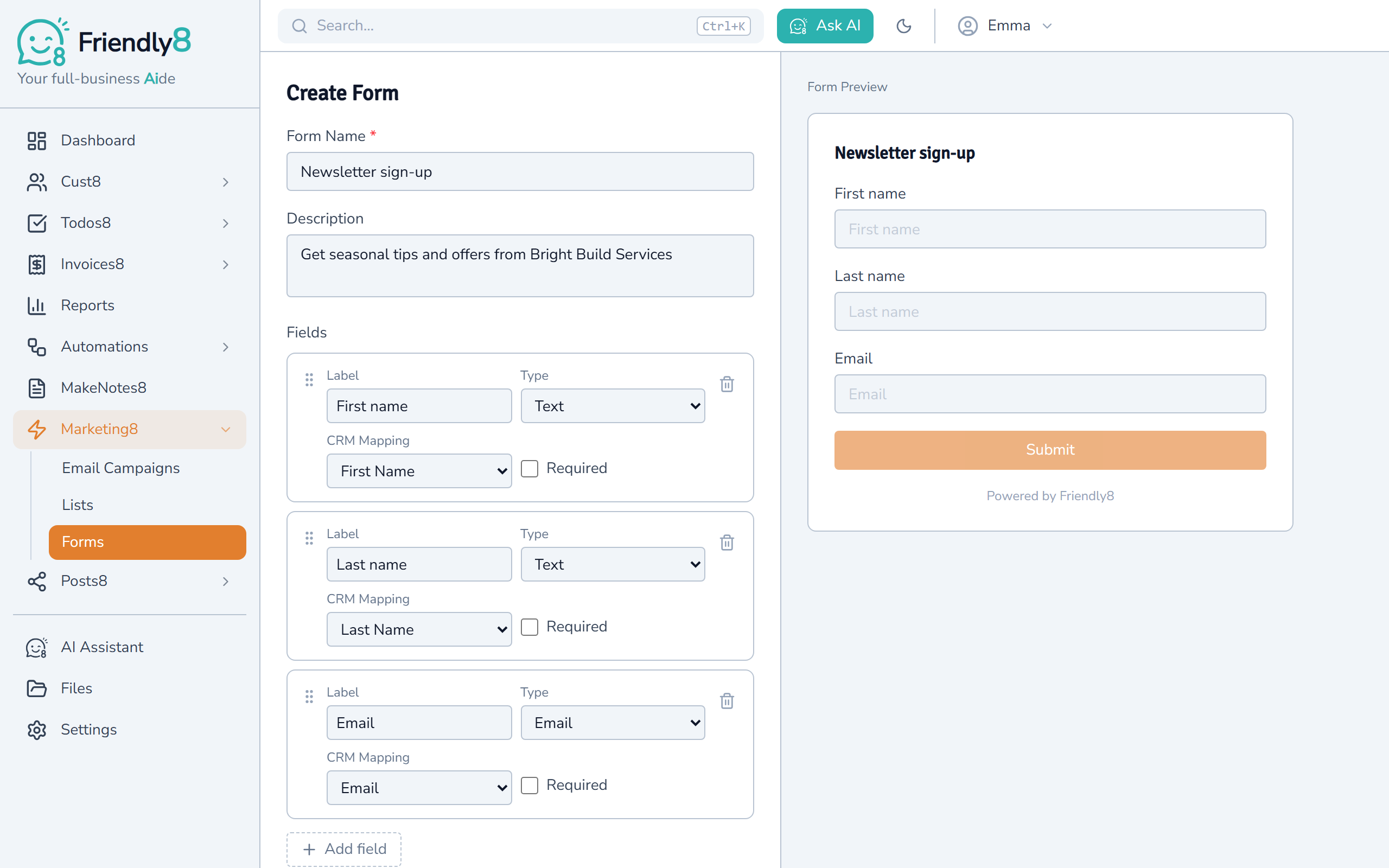
Put a sign-up form on your website
In Marketing8, open Forms and add First name, Last name and Email with one click each. Paste the embed code on your website or share the form link.
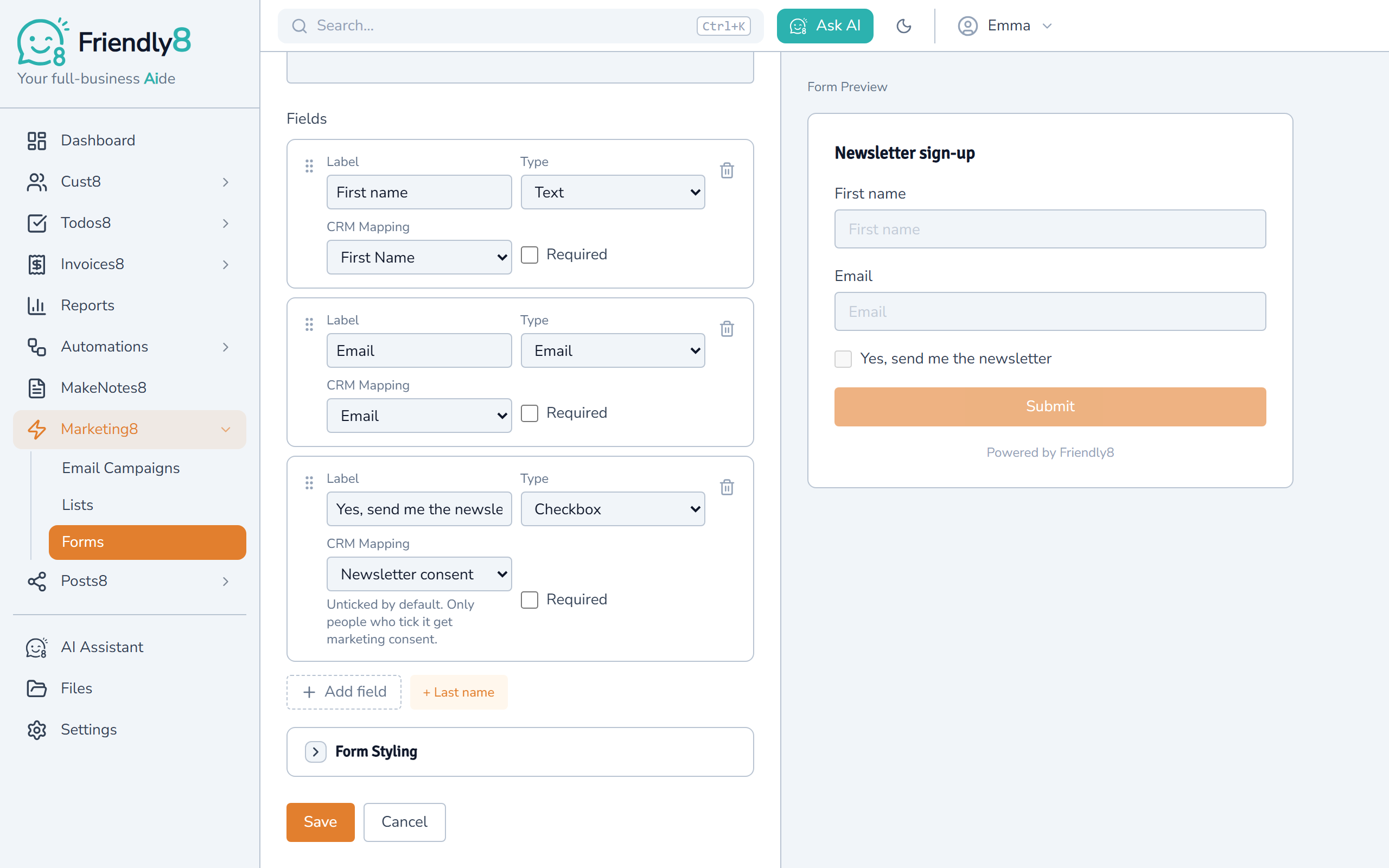
Add a newsletter tick box
Add a "Yes, send me the newsletter" tick box to your form. People who tick it are ready for your newsletter, and people who don't won't get it. Anyone who unsubscribes is switched off again automatically.
Write your newsletter
Build the email from text, heading, image and button blocks, and add each customer's first name with Insert field.
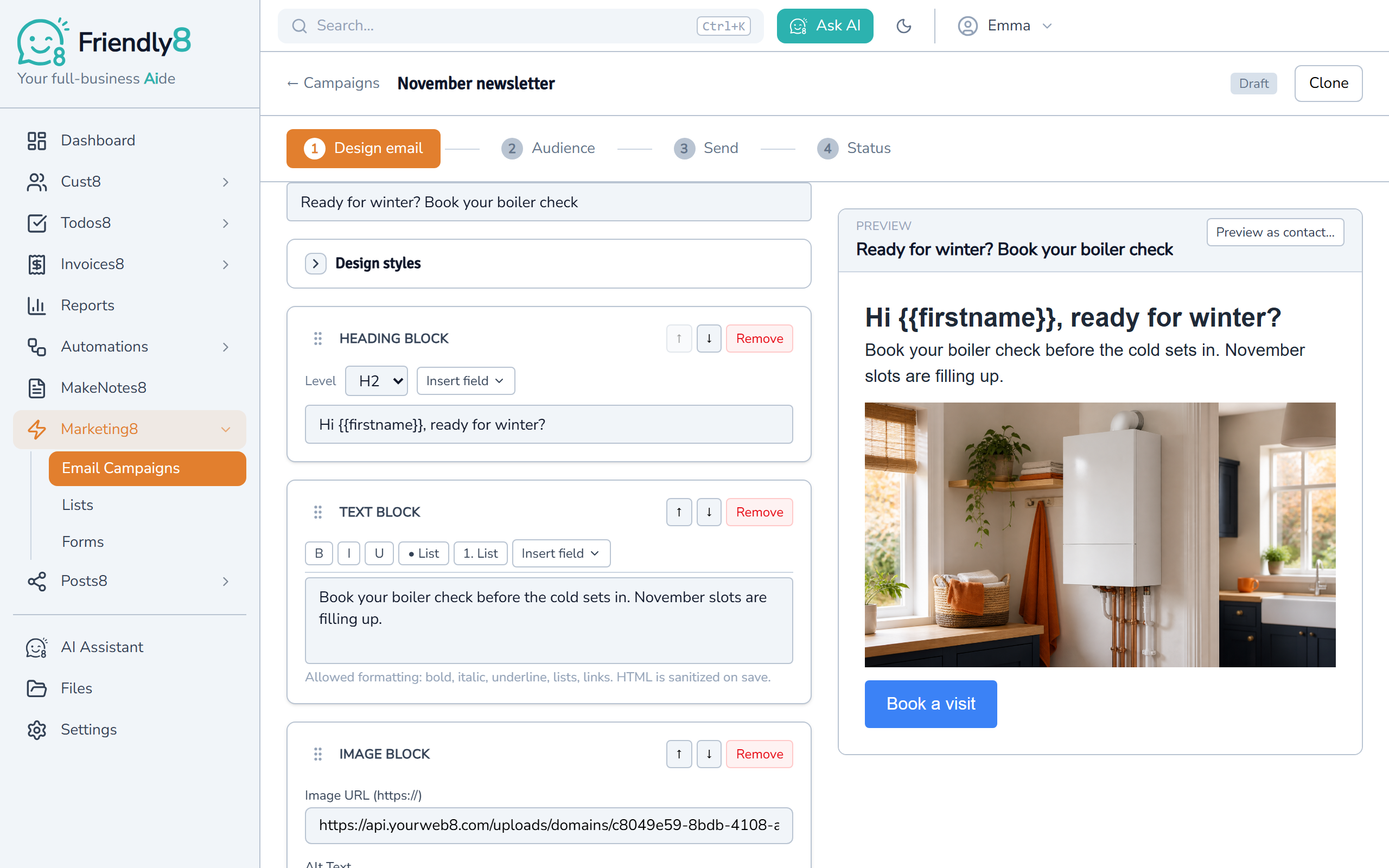
Send it from your own email
Pick your own Gmail or Microsoft 365 mailbox and send a test to yourself first. Then send it now or schedule it, and replies come straight to you.
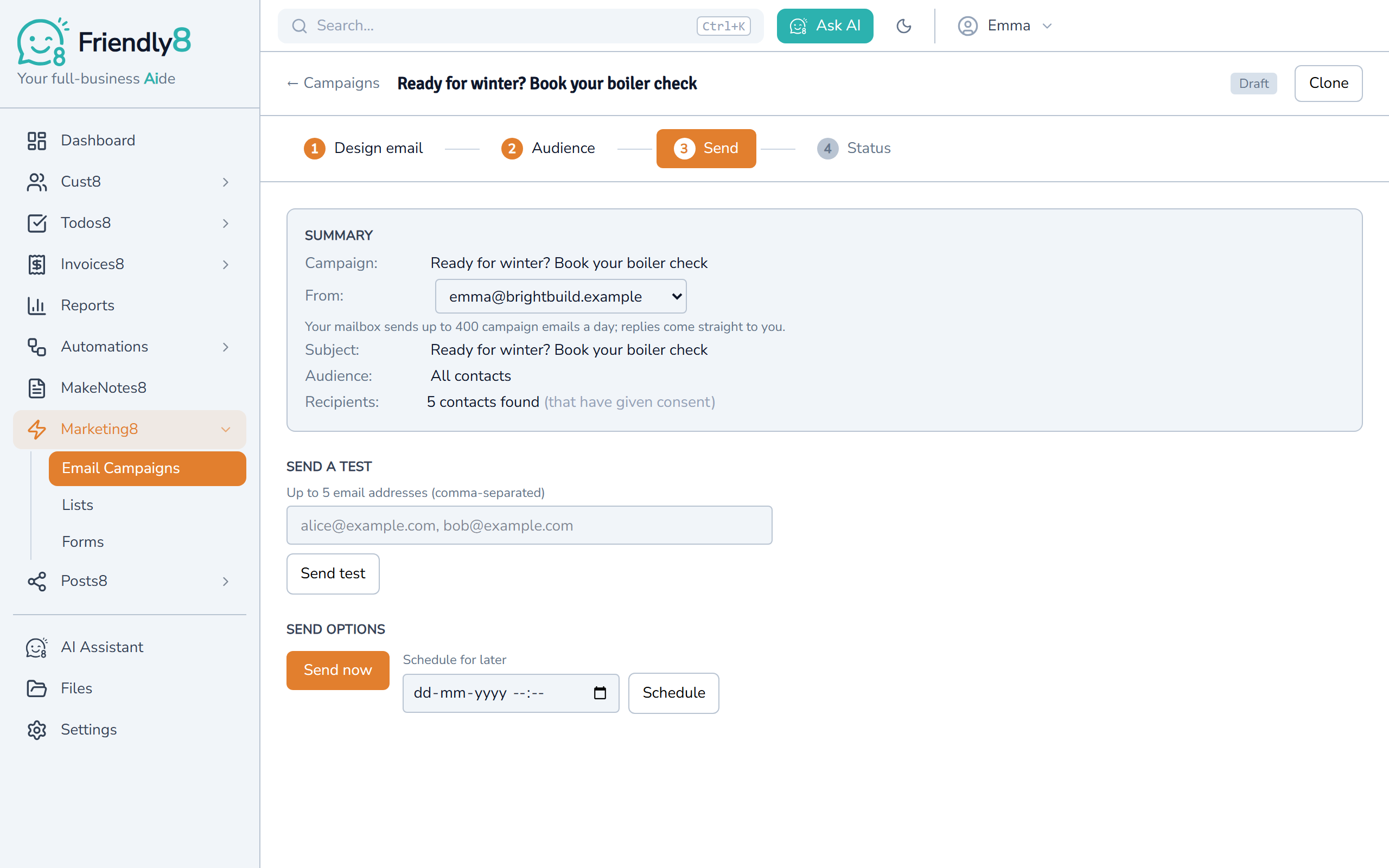
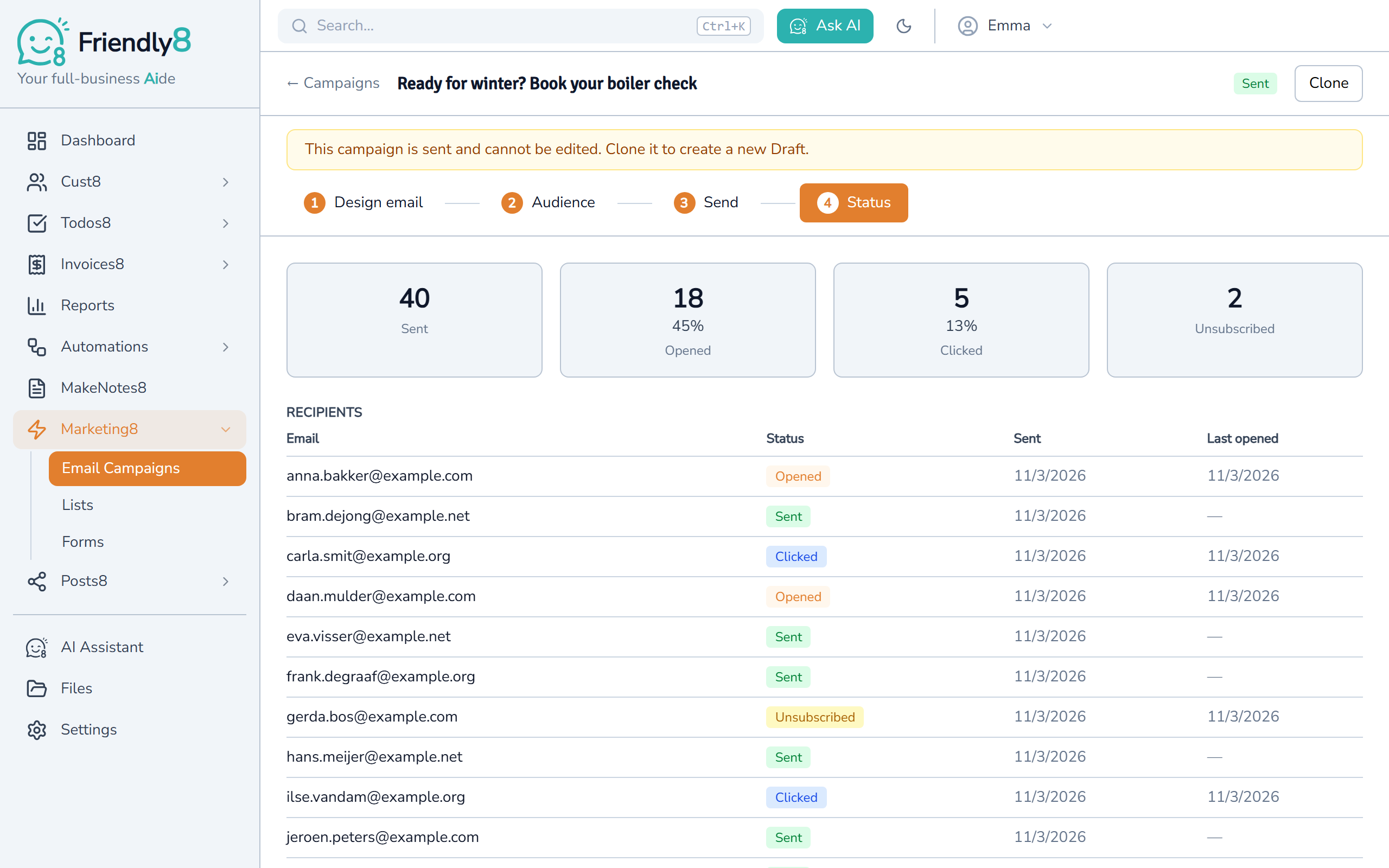
See who opened and clicked
The campaign report shows how many people opened, clicked and unsubscribed. The list shows it per person, so you know who to follow up with.
Let readers ask you to call them back
Example: a boiler check offer in your winter newsletter.
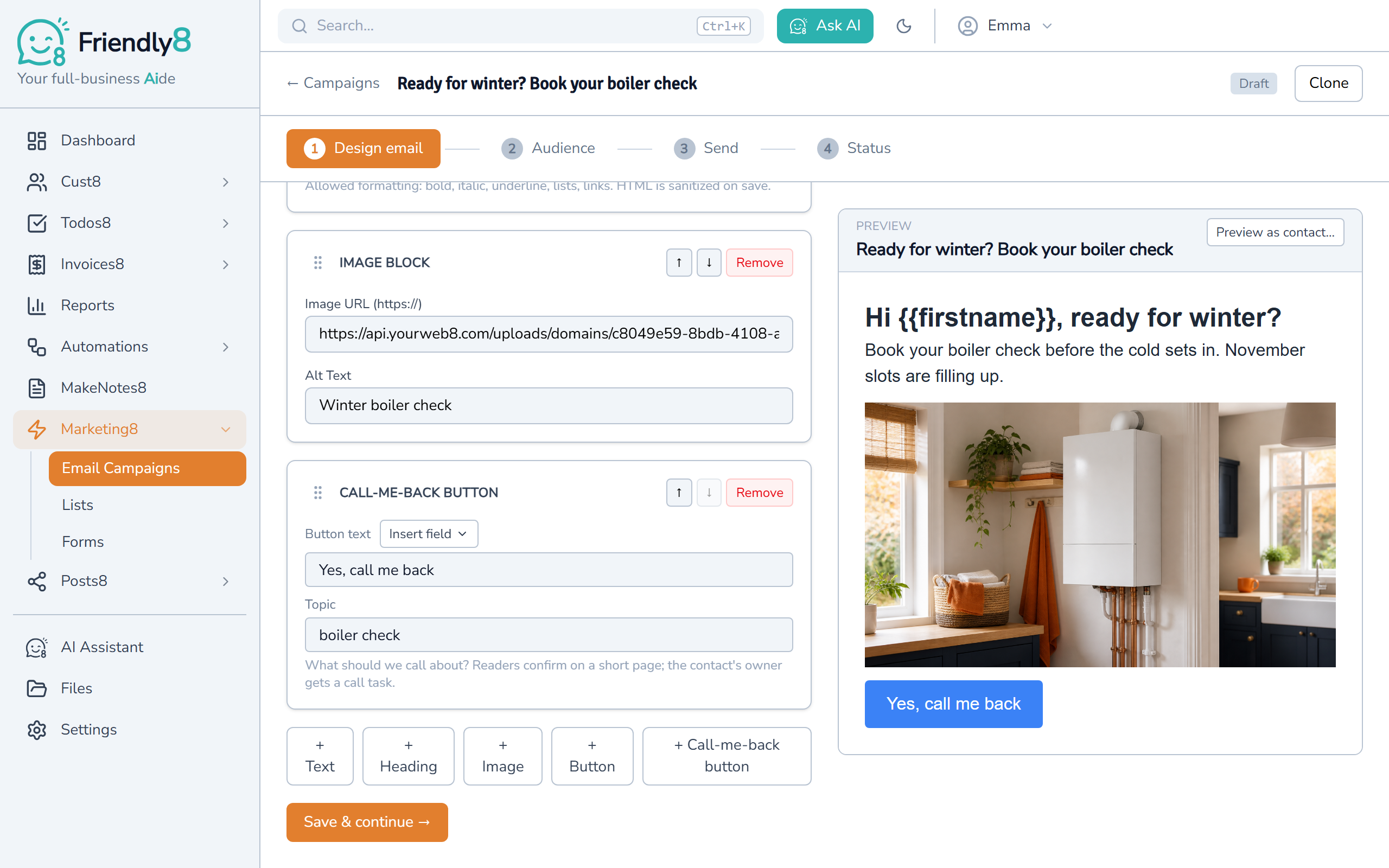
Add a Call-me-back button
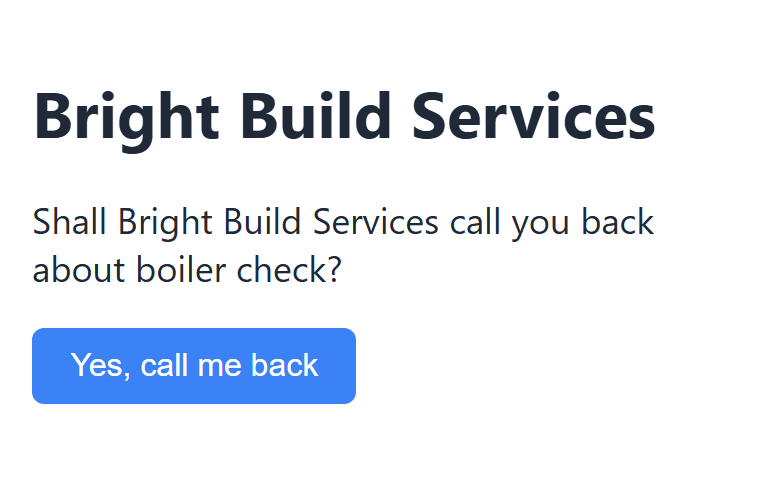
Add the block to your email and type what it's about, like "boiler check". Readers see a "Yes, call me back" button.
Your reader confirms in one tap
They tap the button and confirm on a short page. They're only asked for a phone number if you don't have one yet.
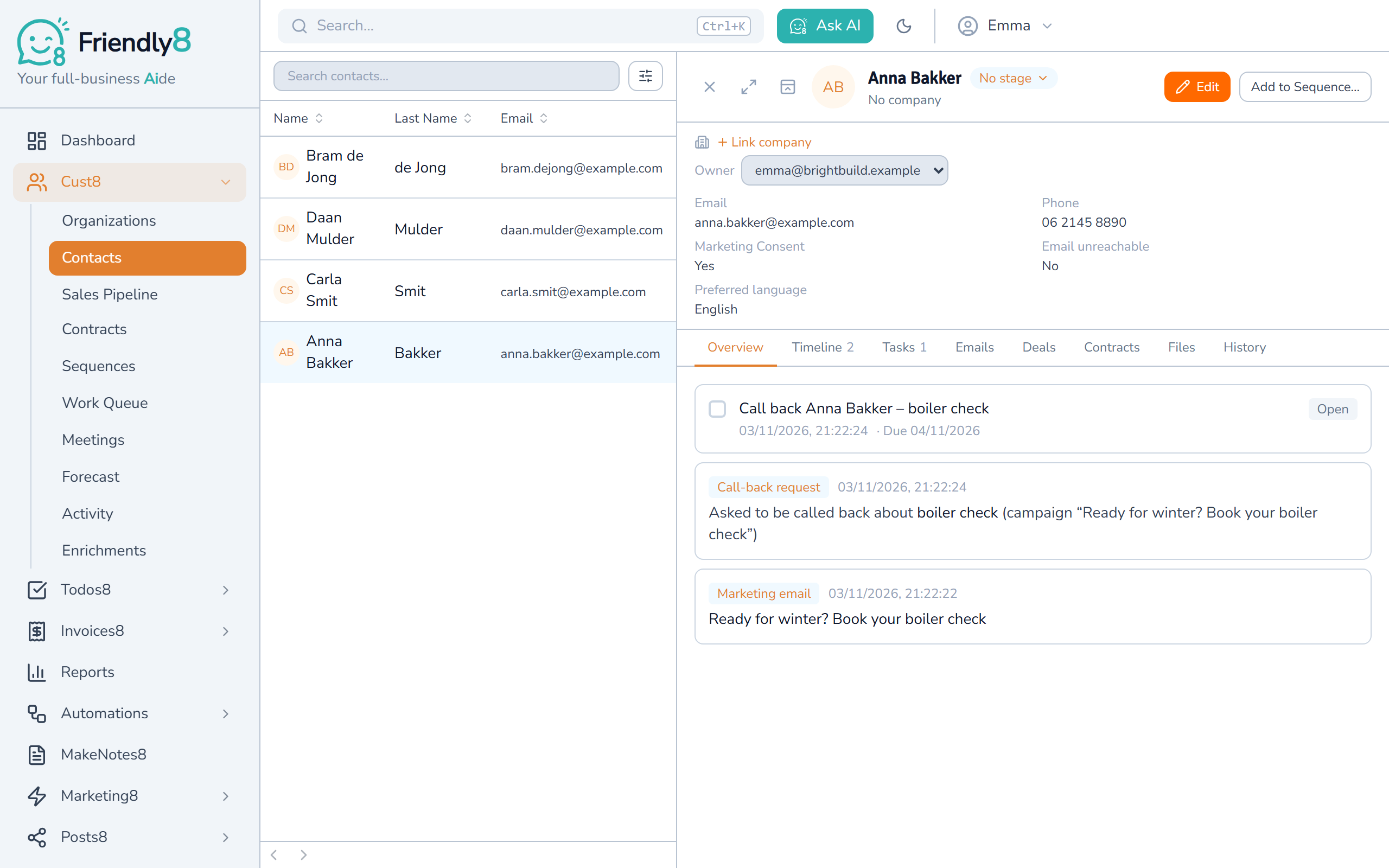
You get a call task for the next working day
The task goes to the customer's owner, or else to you as the sender, with a notification. The request also shows on their timeline, and only confirmed requests become tasks.
Watch how it works
See a sign-up form, a newsletter with a Call-me-back button and the report with call-back requests.

Get started in 3 steps
- Sign up free at app.friendly8.com
- Build a sign-up form and put it on your website
- Write your first newsletter and send it to everyone who said yes
Questions about Friendly8 newsletters
What is the best newsletter software for a small business?
For a small service business, the best newsletter software is one that already knows your customers. In Friendly8 your website sign-up form adds people to your CRM, and you send the newsletter from the same tool. Forms and email campaigns are in every plan, including Free for up to 100 contacts. Paid plans start at €19 per user per month.
Can a website form add contacts to my CRM automatically?
Yes. A Friendly8 form creates a contact for every new email address, or fills in the empty fields on a contact you already have. It never overwrites details you entered yourself. You can embed the form on any website or share its link.
Do I still need Mailchimp for my newsletter?
For a simple newsletter to your own customers, no: you write, schedule and send it in Friendly8. It goes out from your own Gmail or Microsoft 365 account, with an unsubscribe link in each email. You can send up to about 400 emails a day from Gmail, or 2,000 from Microsoft 365. Bigger lists go out over several days automatically. No mailbox connected yet? It sends from Friendly8's address until you connect one. For very large lists, a dedicated email tool is still the better fit.
Do I need permission to email my customers a newsletter?
Usually, yes. EU rules generally require permission before you send marketing email, and collecting and recording it is your responsibility. In Friendly8 a newsletter only goes to contacts with Marketing Consent switched on. Add a "Yes, send me the newsletter" tick box to your form: it's never pre-ticked, and only people who tick it get consent.
Can readers ask me to call them back?
Yes. Add a Call-me-back button to your newsletter and say what it's about, like "boiler check". When a reader taps it and confirms, you get a call task for the next working day, plus a notification. Just opening the link does nothing, so mail scanners can't create tasks, and a second click adds nothing new. You can also start an automation with the Call-back Requested trigger.
Be the name they remember
Start free, put your sign-up form live today and send your first newsletter this week. No credit card required.